
A tour · TryMyPro
Join in a minute
Dana makes her TryMyPro account: an email, six digits, her name, and she is on Home.
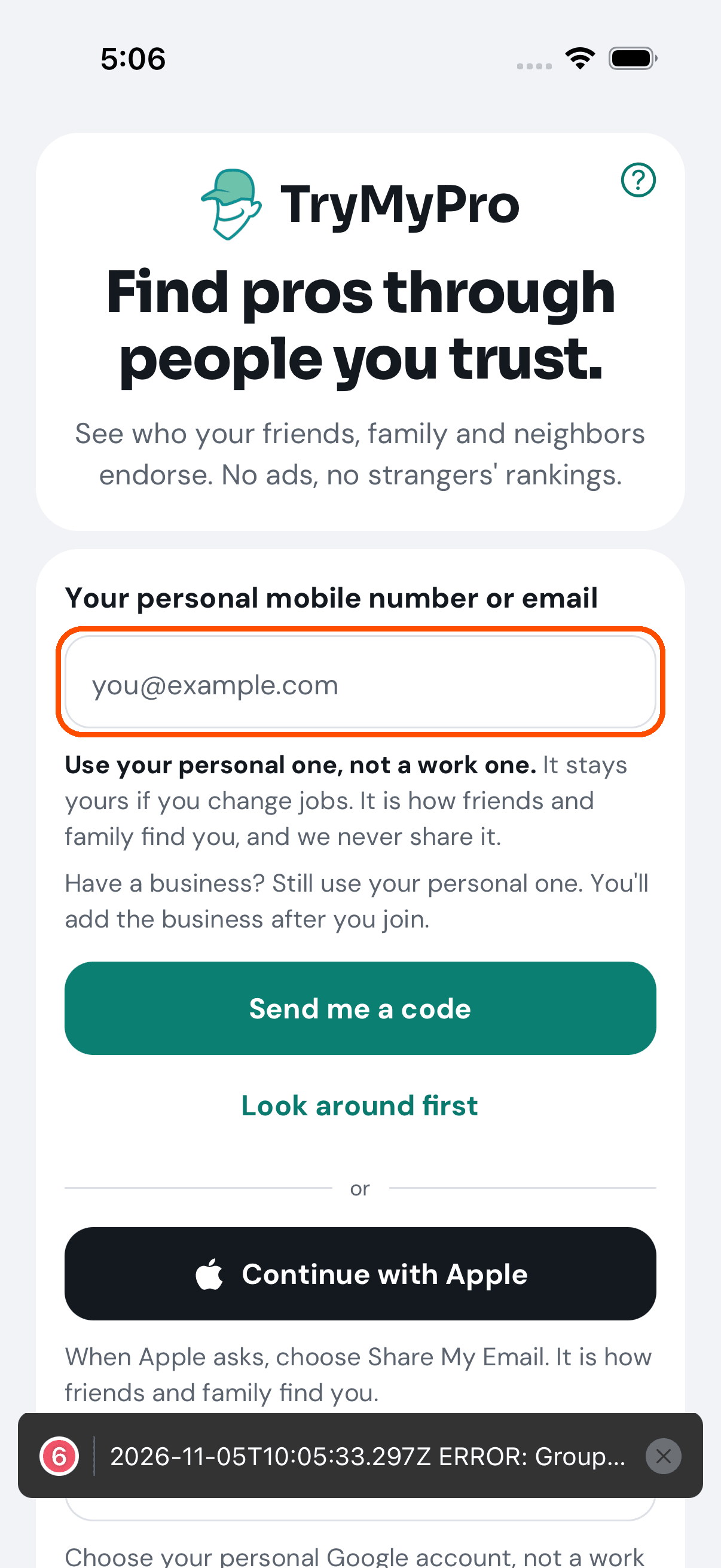
1 of 6 TryMyPro opens on one box: your mobile number or email. There is no password, now or ever. (Continue with Apple and Continue with Google, further down, are another way in.)
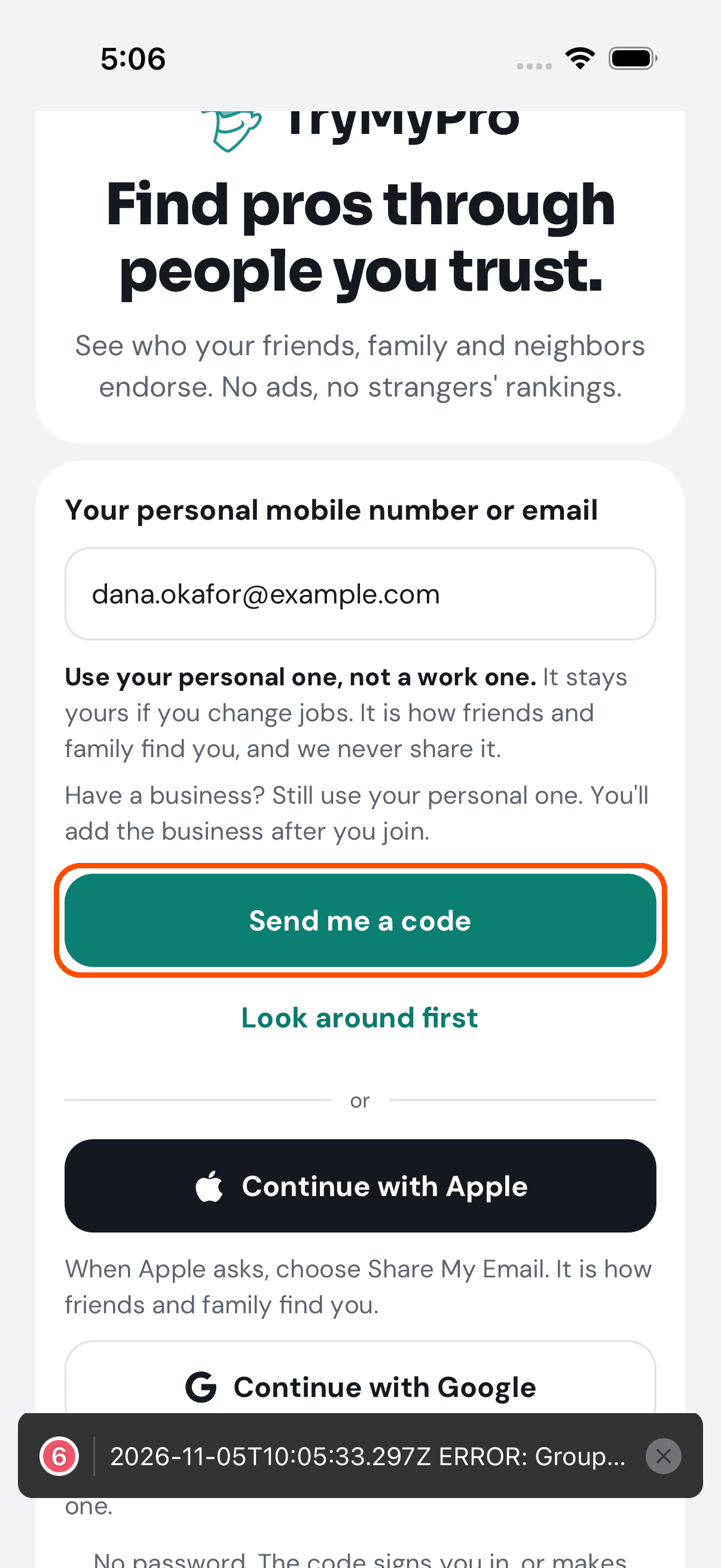
2 of 6 Dana types her email and taps Send me a code. (Look around first lets anyone in without one.)
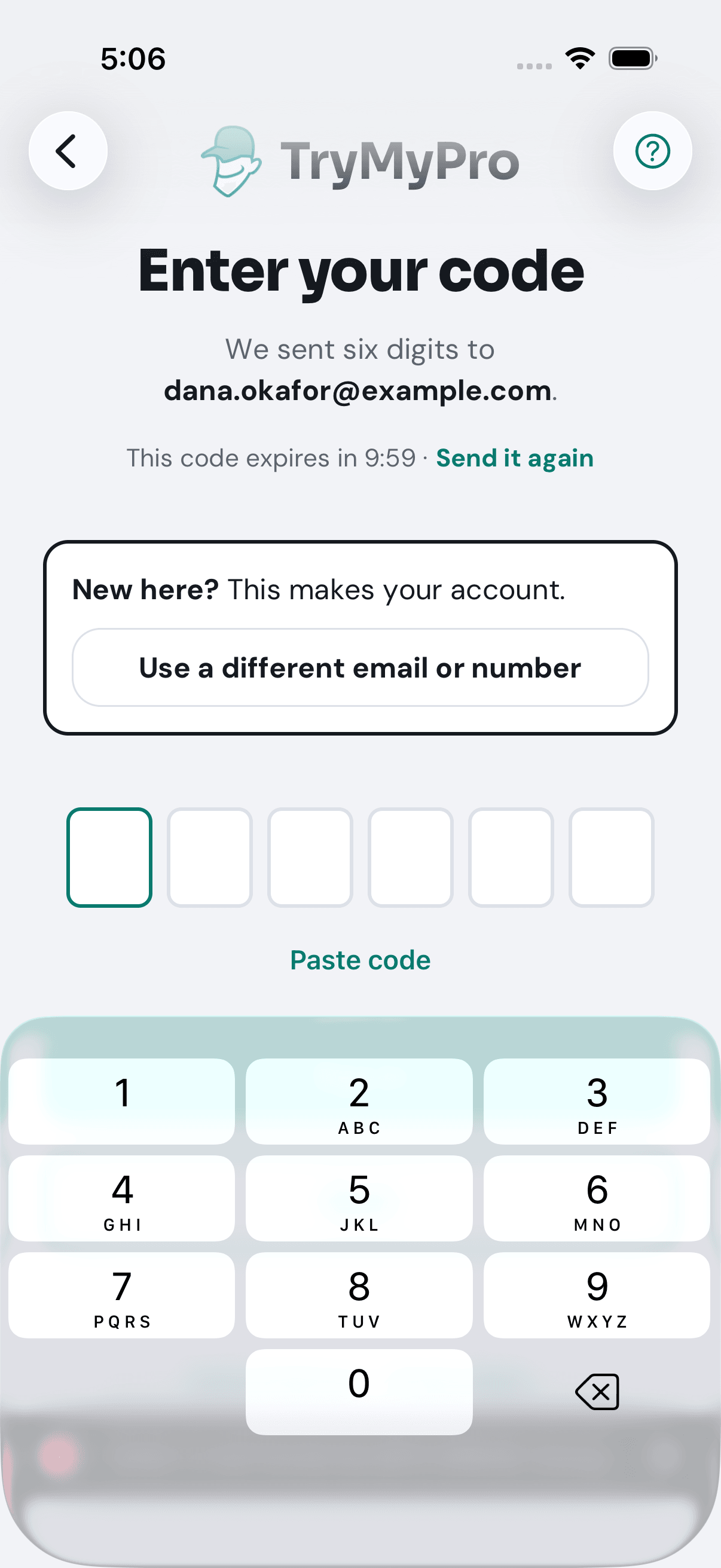
3 of 6 Six digits arrive. New here? This makes your account.
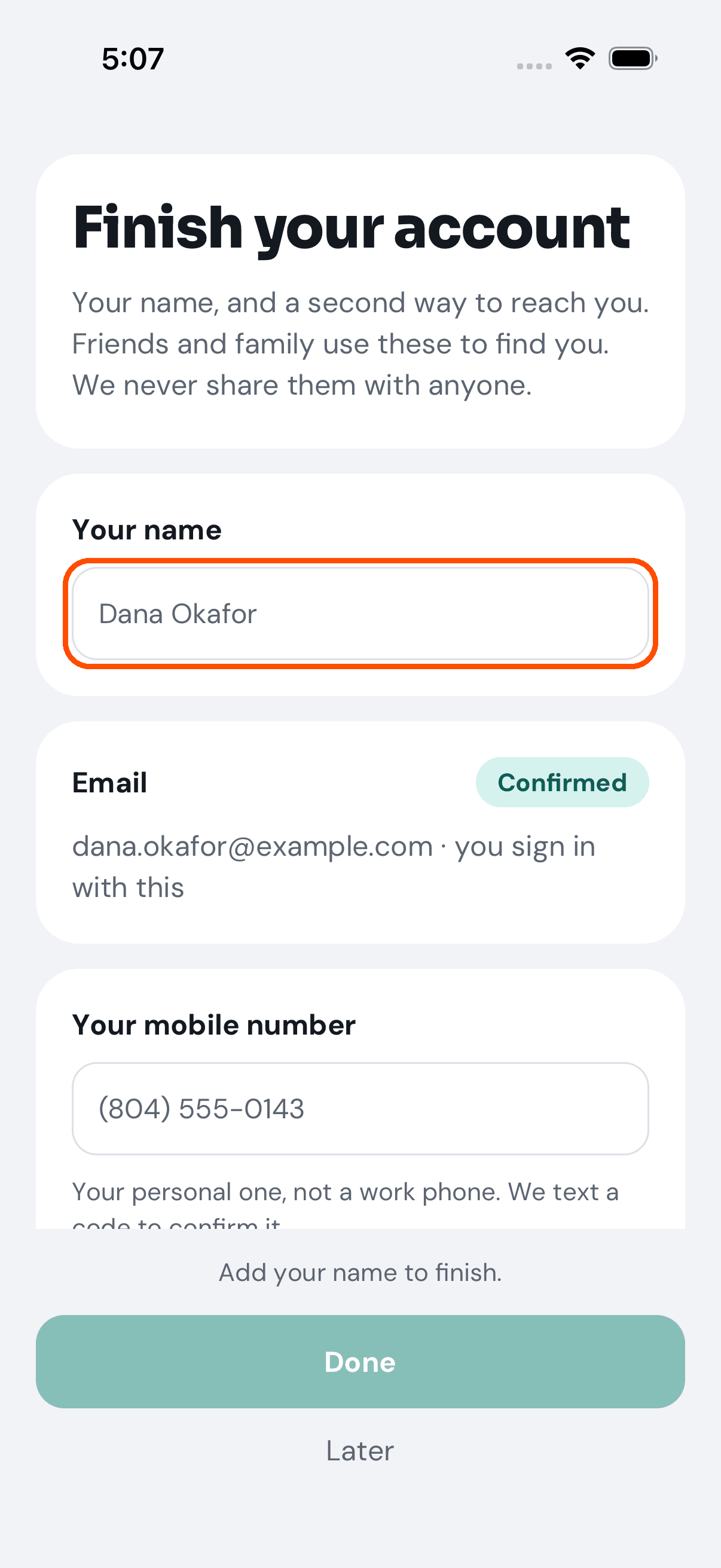
4 of 6 Next, her name, and a second way to reach her. Friends and family use these to find her; TryMyPro never shares them.
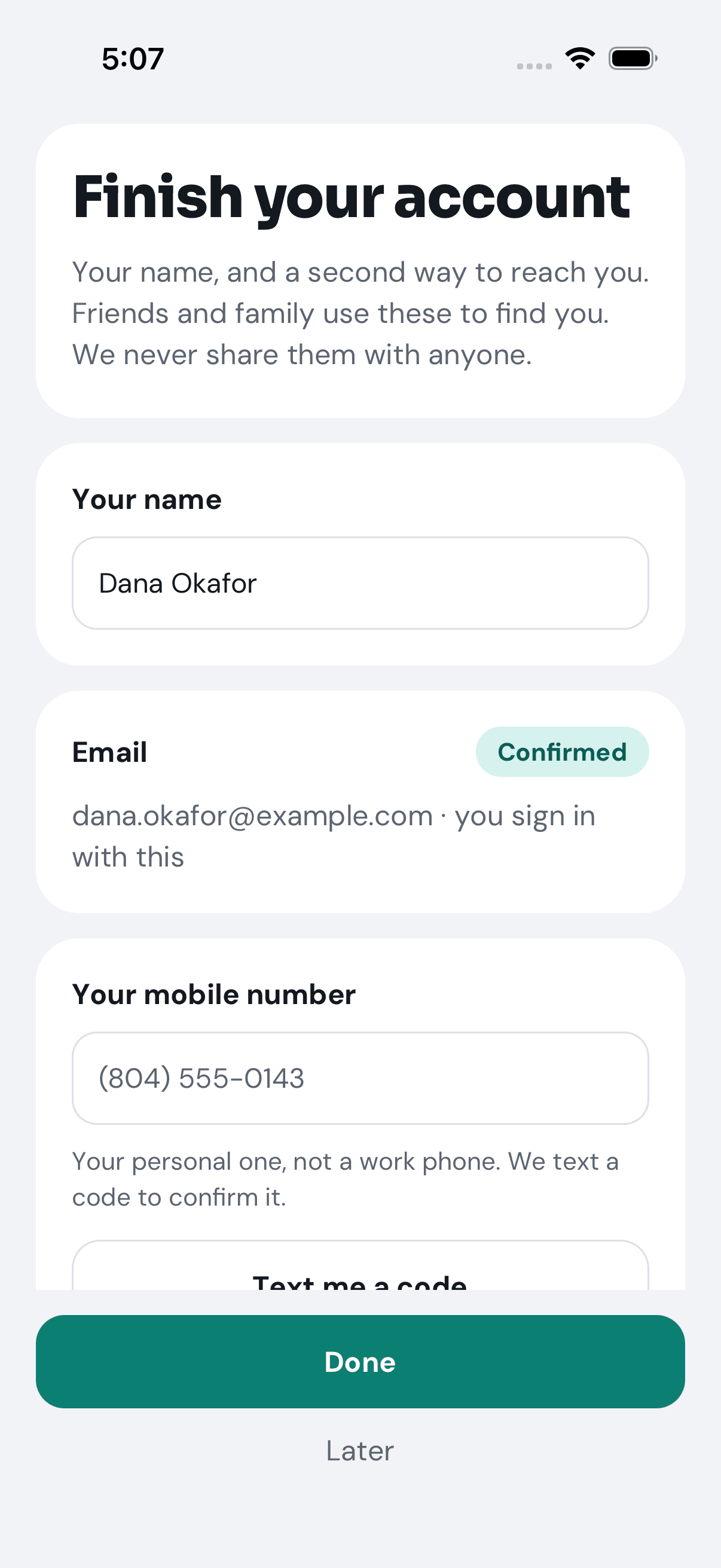
5 of 6 She types her name and taps Done. The mobile number can wait.
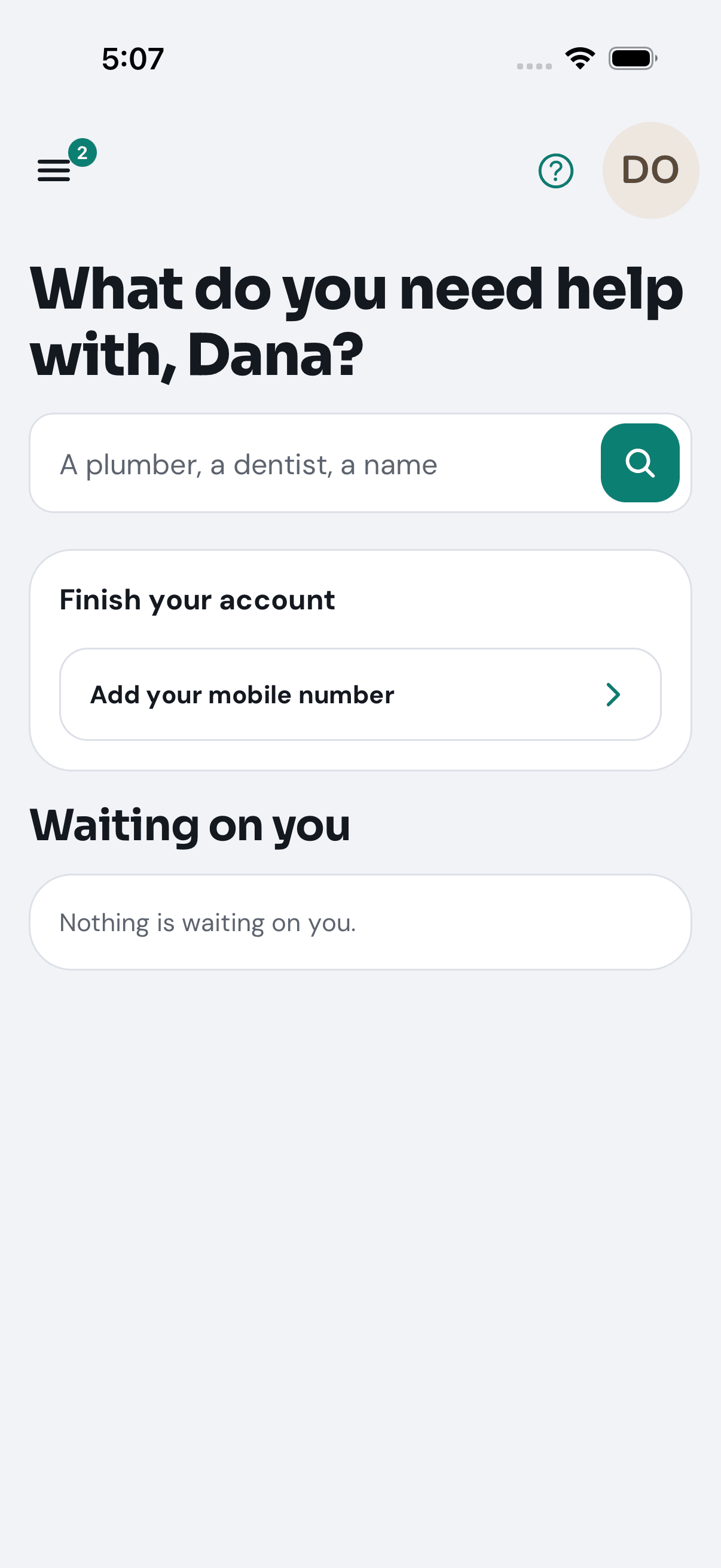
6 of 6 Home: what does she need help with? A reminder to add her mobile stays until she does.
Want the steps to do it yourself? Getting started. More tours: Find a pro you can trust · Your people · Deals · Leave a review