
A tour · TryMyPro for Pros
Post a deal
Miles posts a deal. Watch Dana find it, save it and use it at the business, and Miles confirm it.
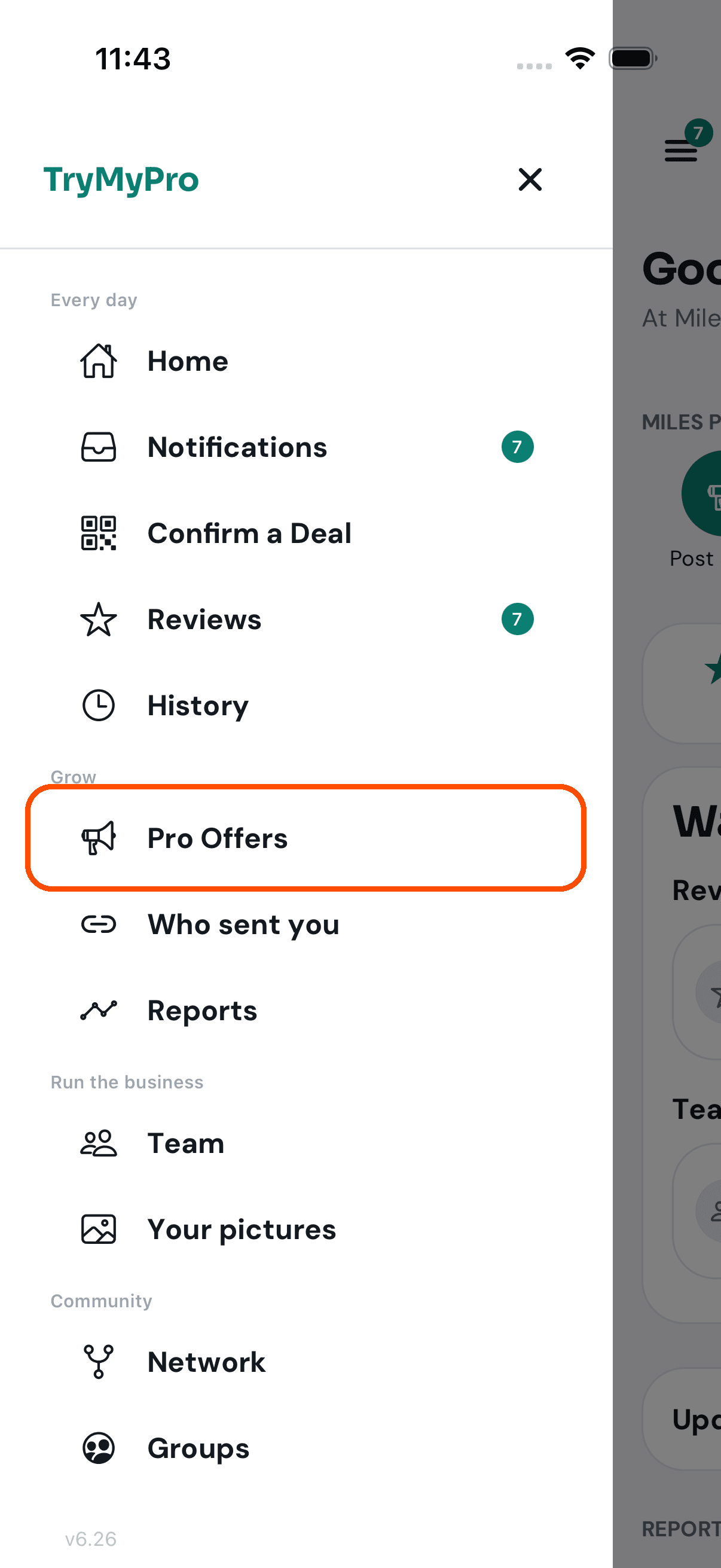
1 of 15 Miles opens the menu and taps Pro Offers.
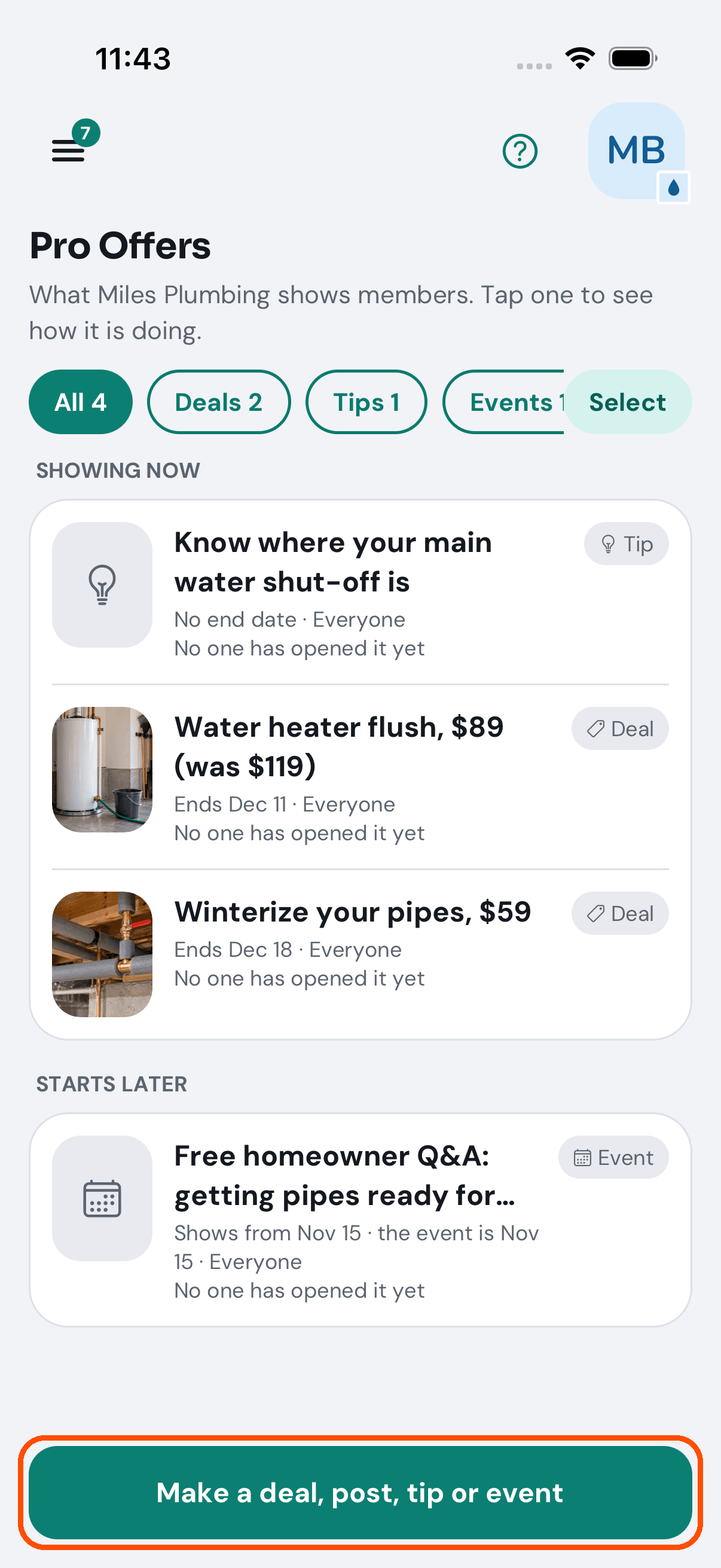
2 of 15 Pro Offers is everything Miles Plumbing shows members. He taps Make a deal, post, tip or event.
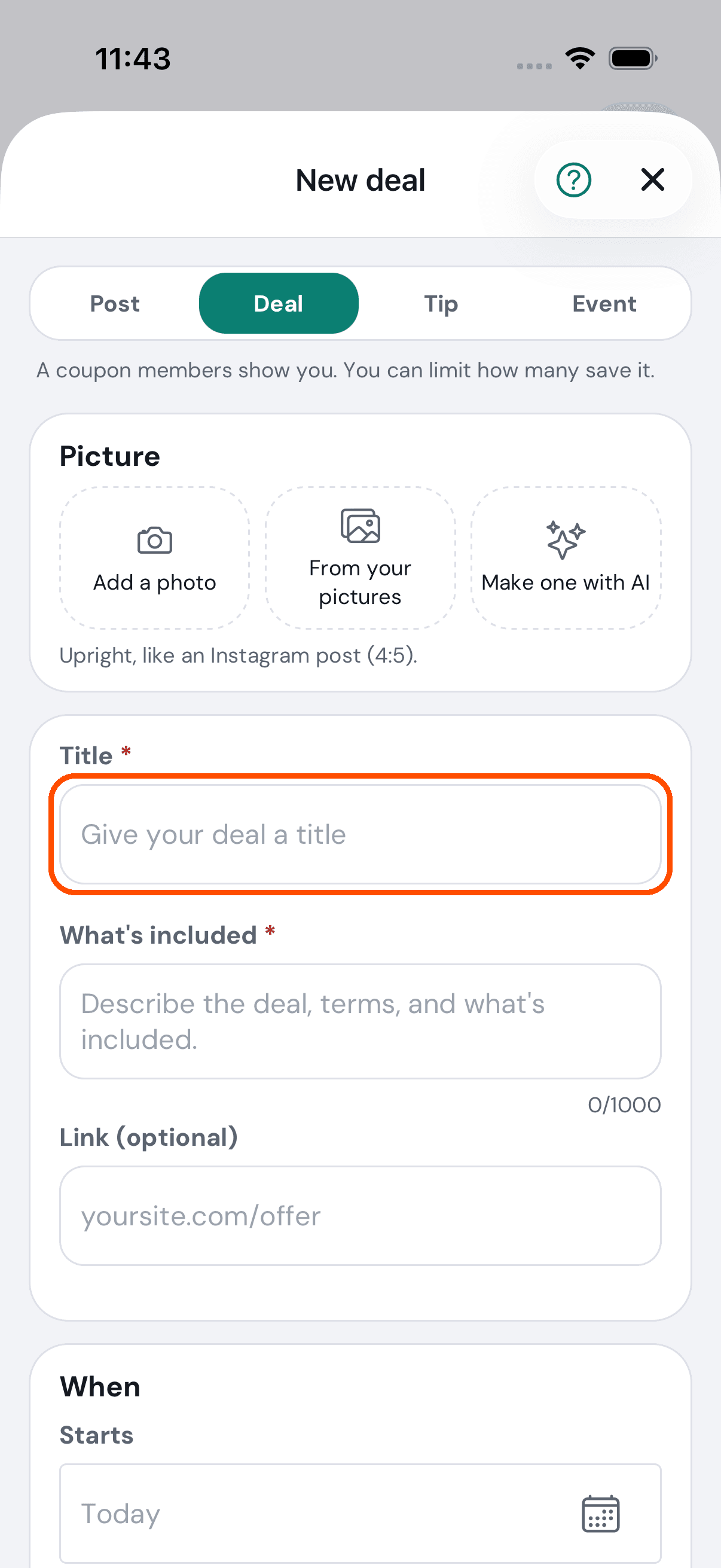
3 of 15 He picks Deal: a coupon members show him.
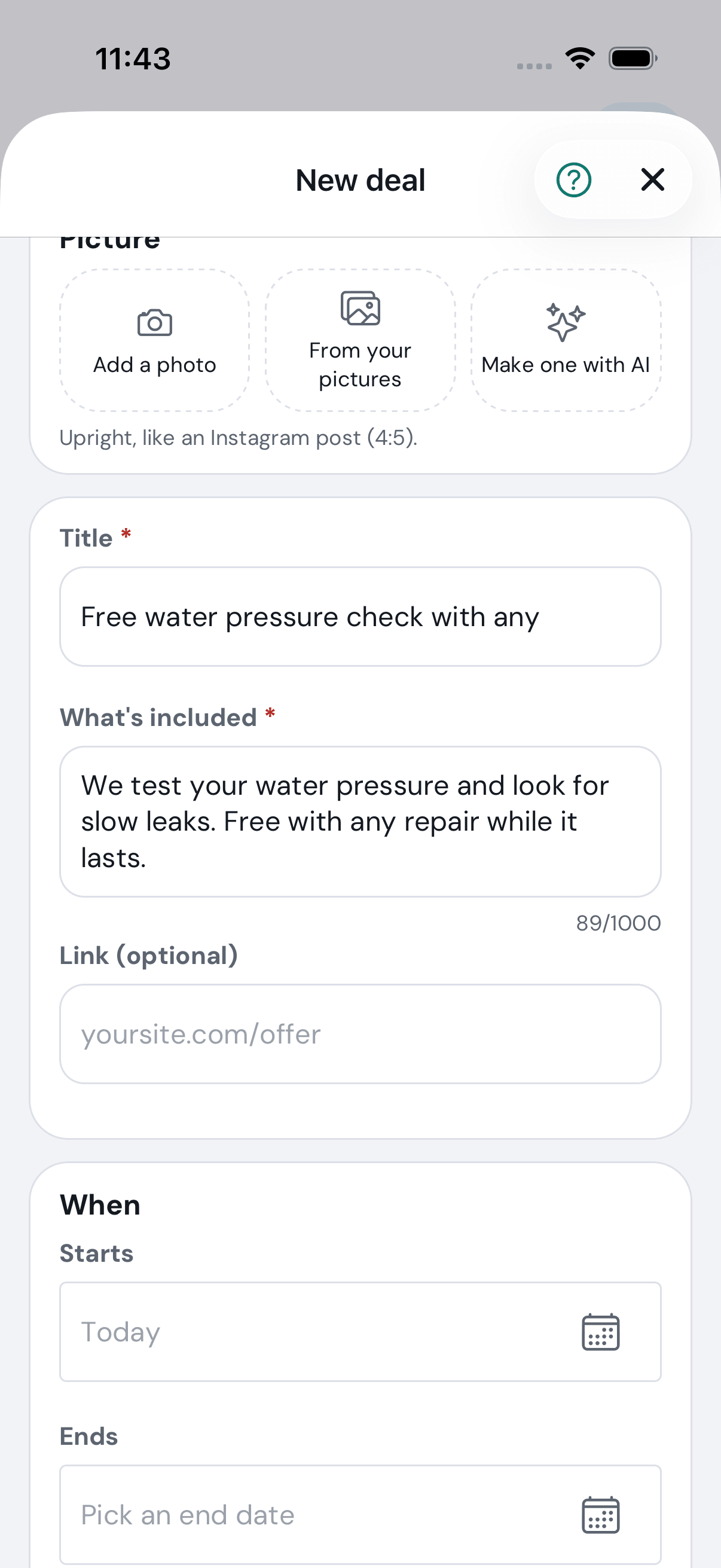
4 of 15 A title, and what’s included.
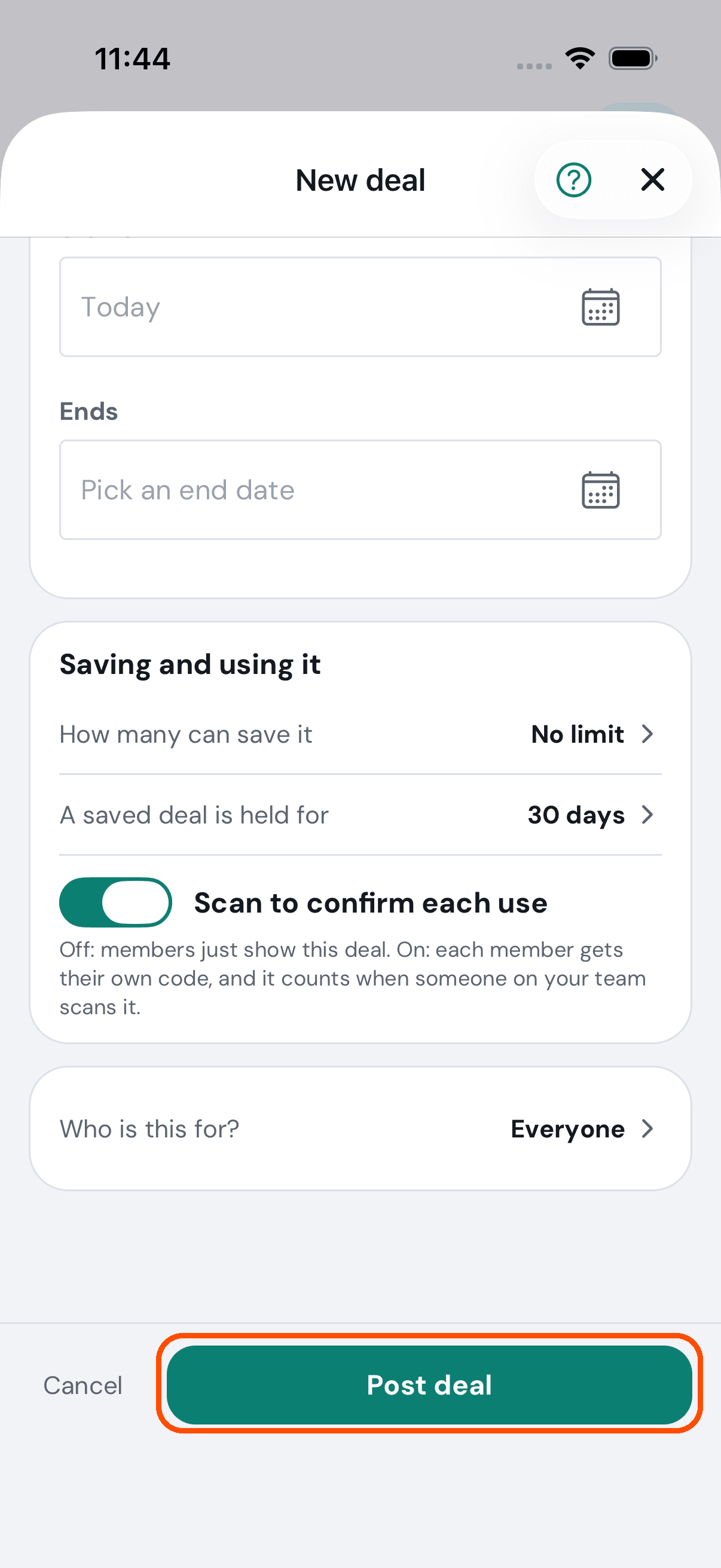
5 of 15 He switches on Scan to confirm each use: each member gets their own code. Then Post deal.
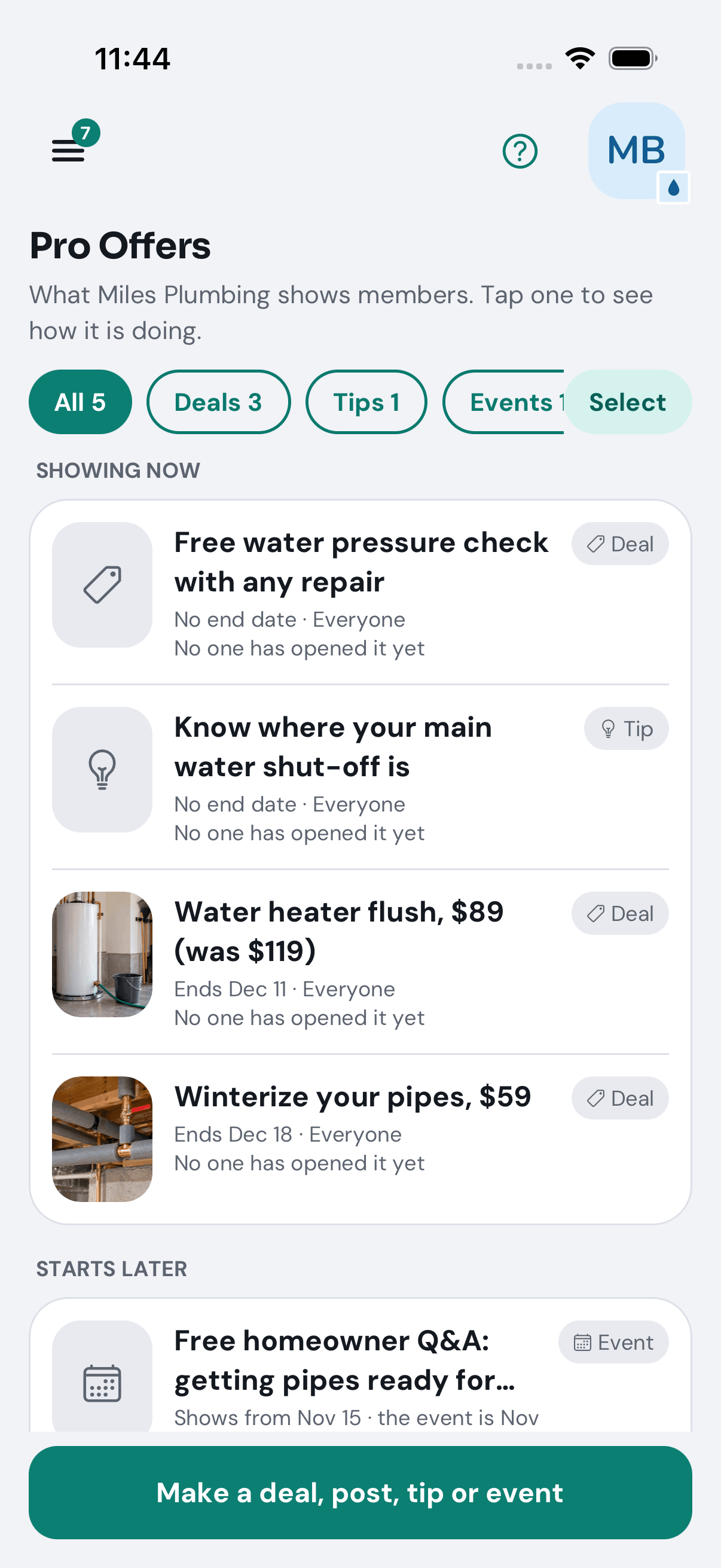
6 of 15 It is live, at the top of his Pro Offers.
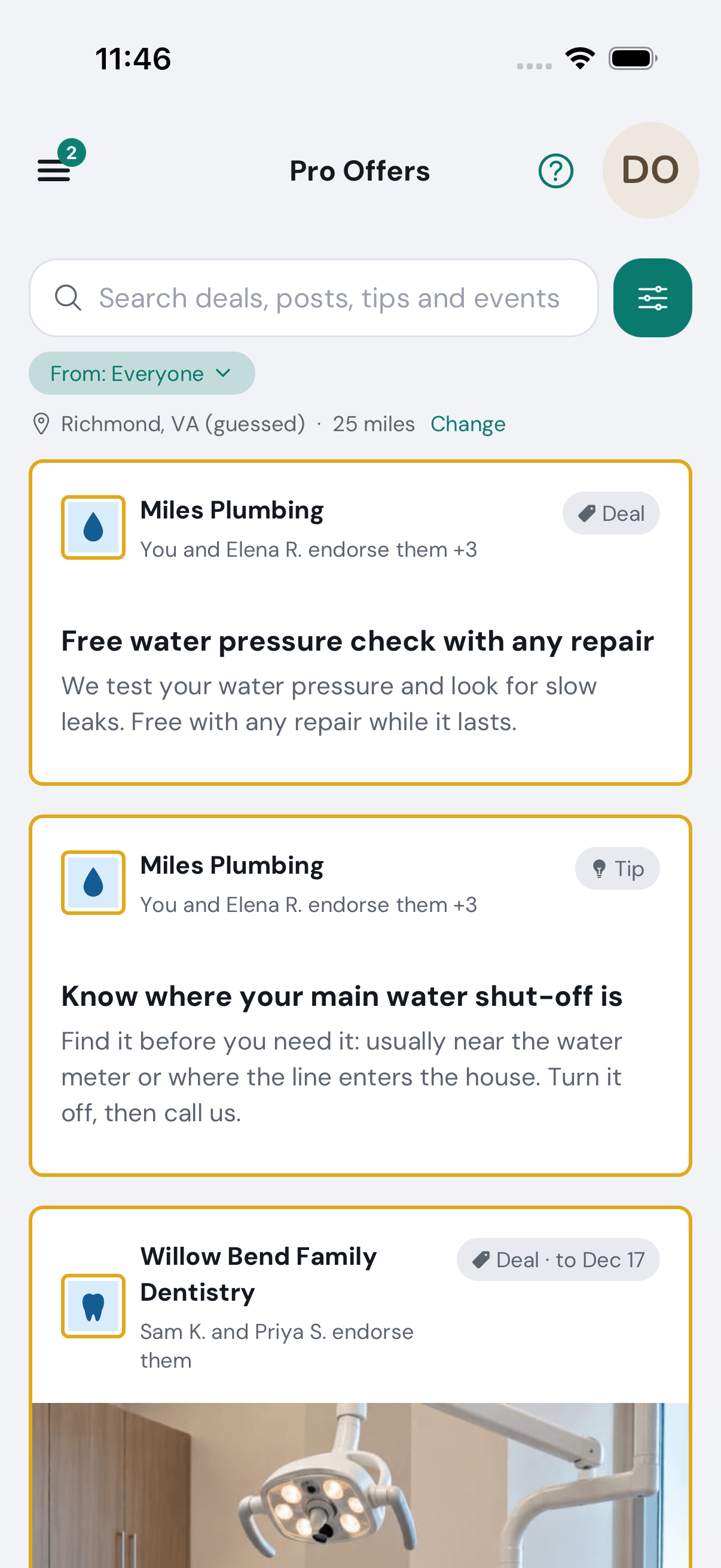
7 of 15 In TryMyPro, Dana finds it under Pro Offers in her menu, with who she knows that endorses Miles Plumbing.
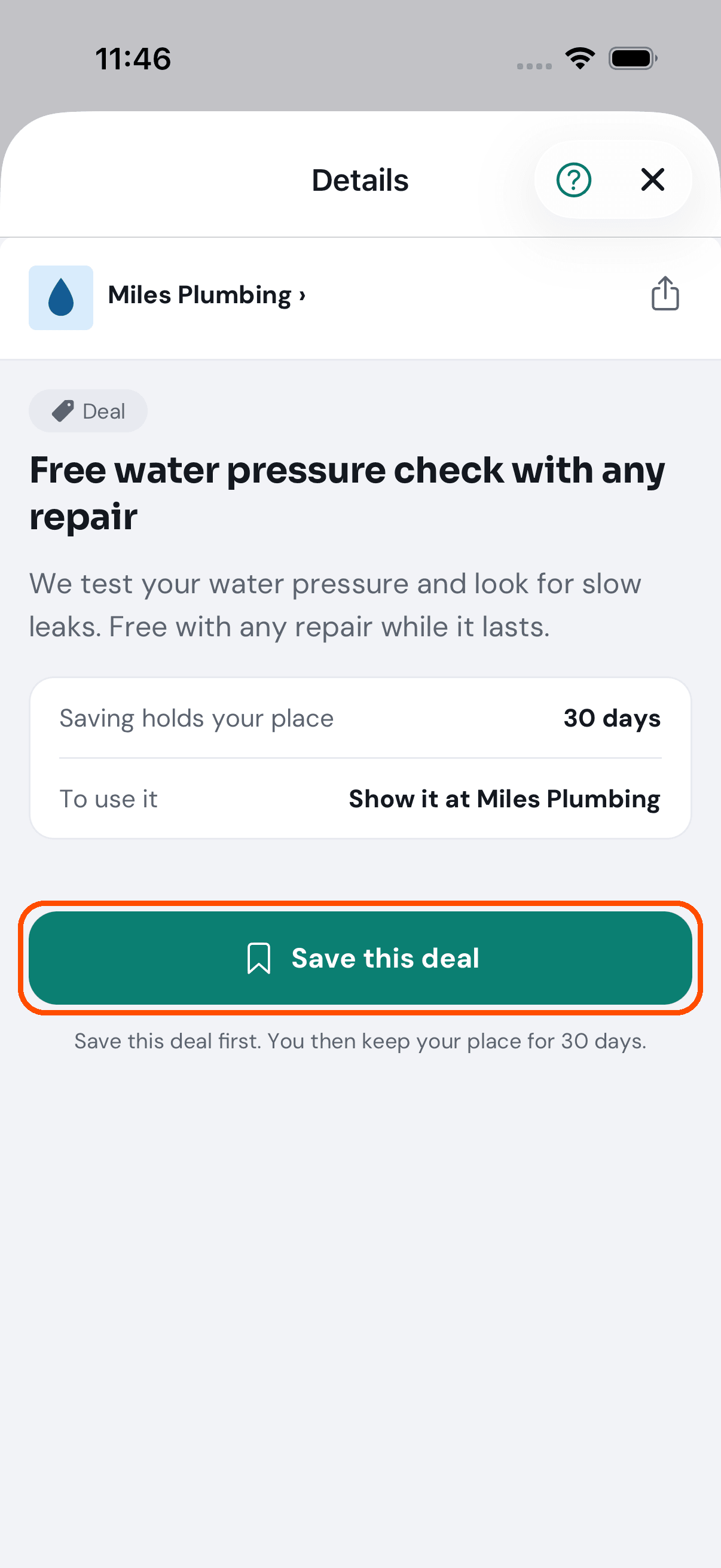
8 of 15 She opens it and taps Save this deal: her place is held for 30 days.
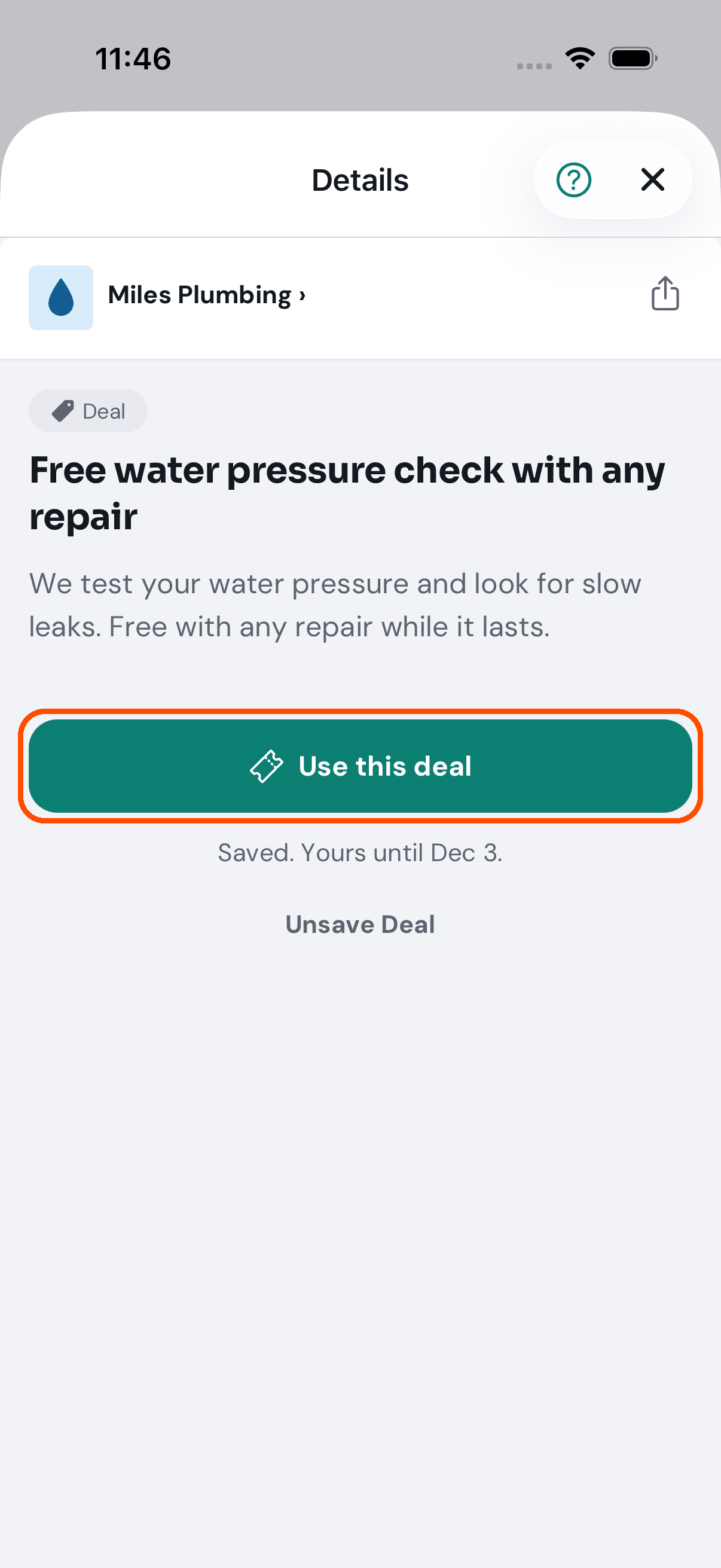
9 of 15 Saved. When she is with the business, she taps Use this deal.
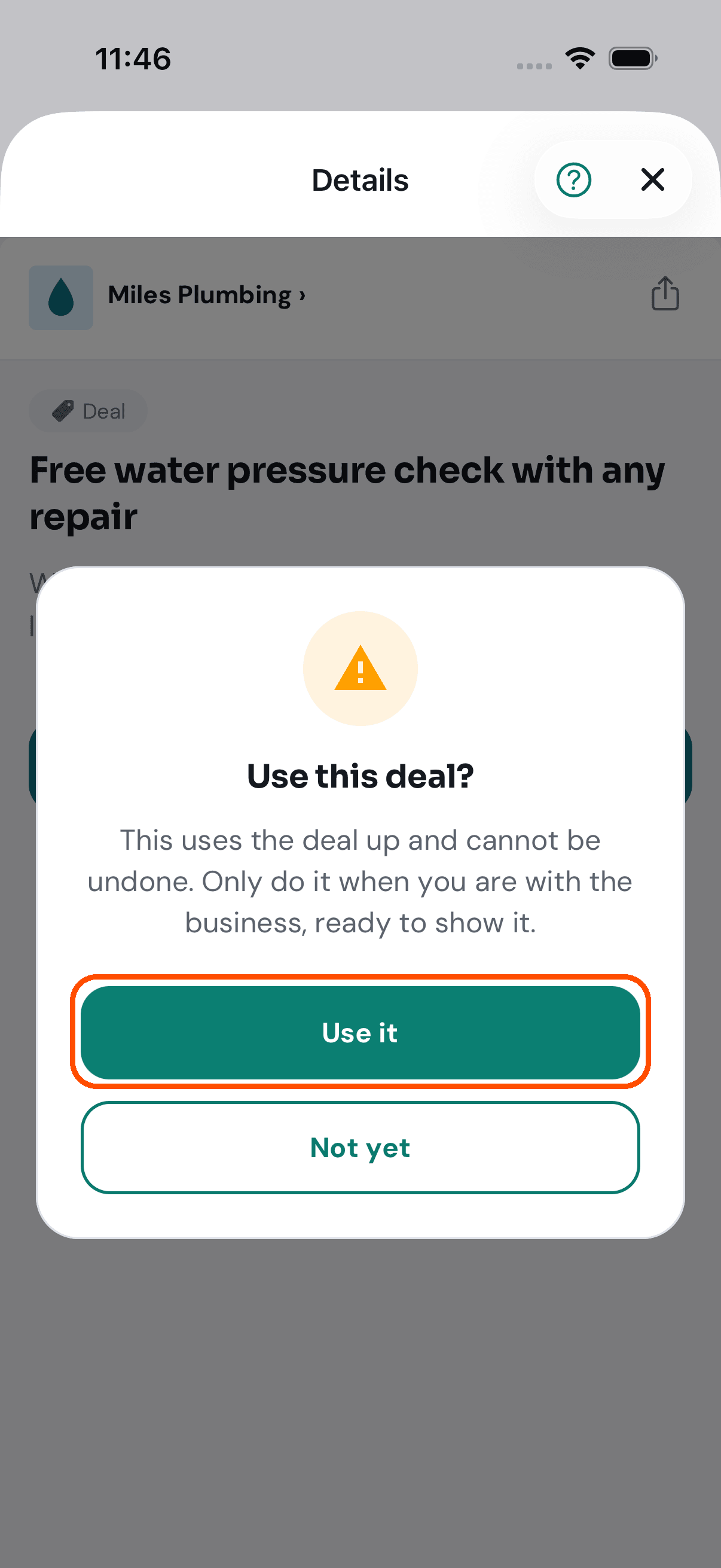
10 of 15 TryMyPro asks first: a used deal cannot be undone.
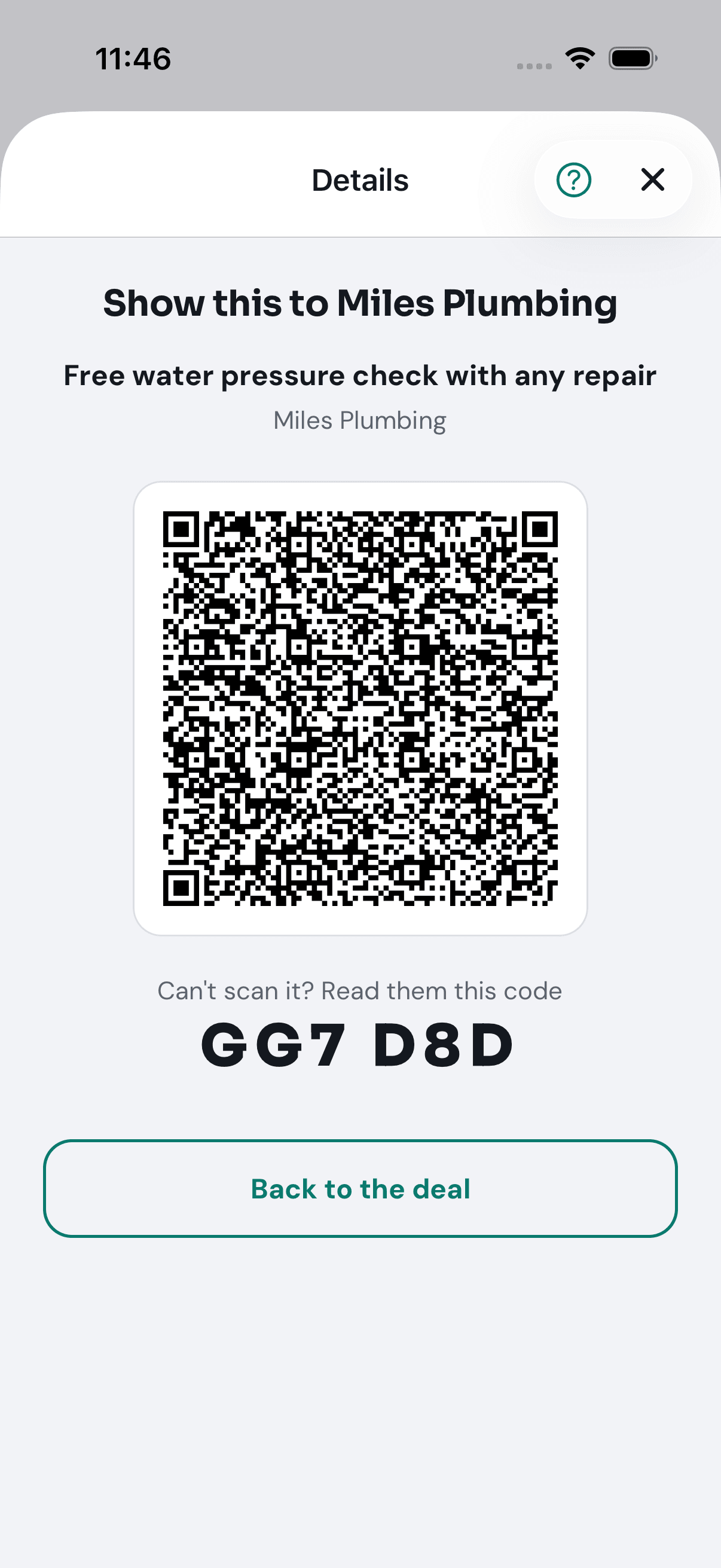
11 of 15 Her own code to show Miles: a QR code, and a short code if he cannot scan.
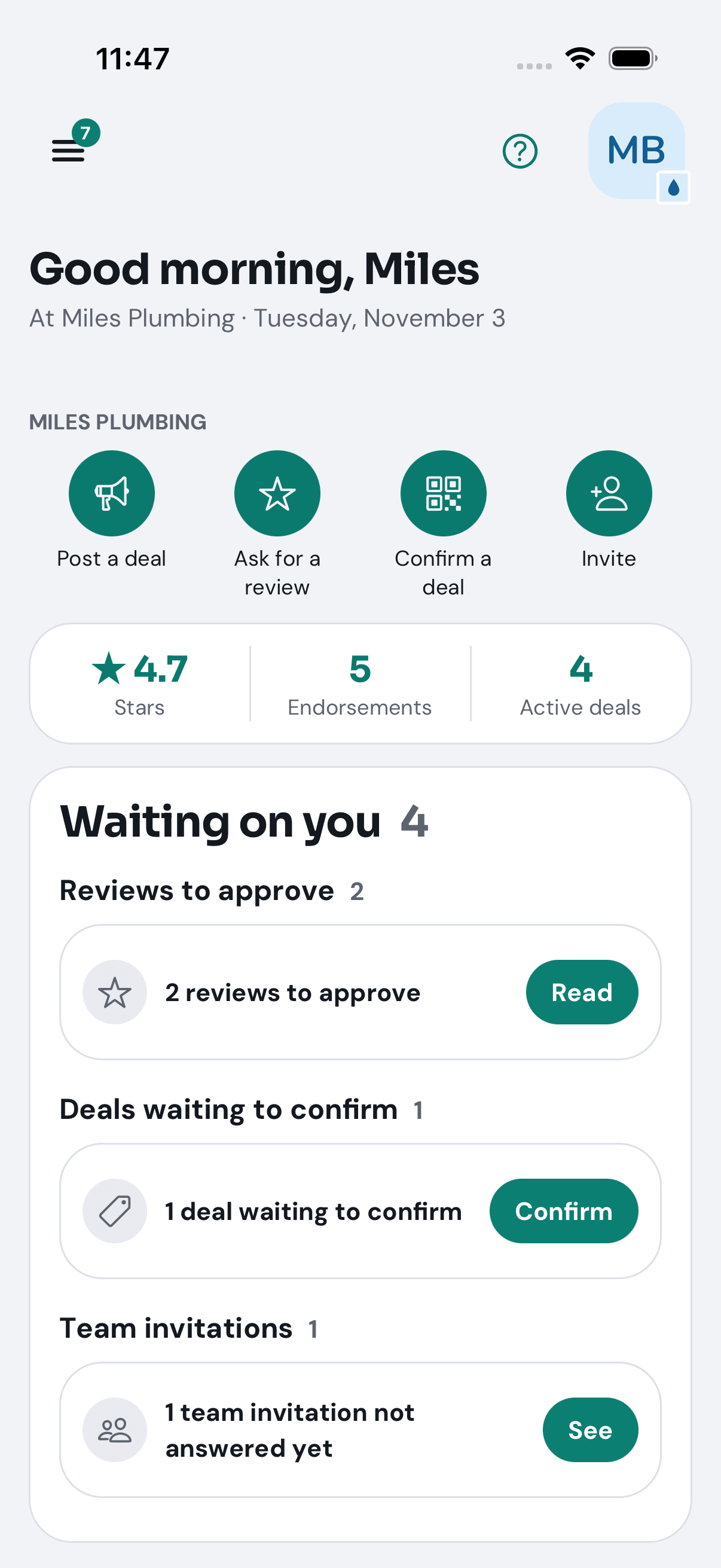
12 of 15 On Miles’s Home, Waiting on you says a deal is waiting to confirm.
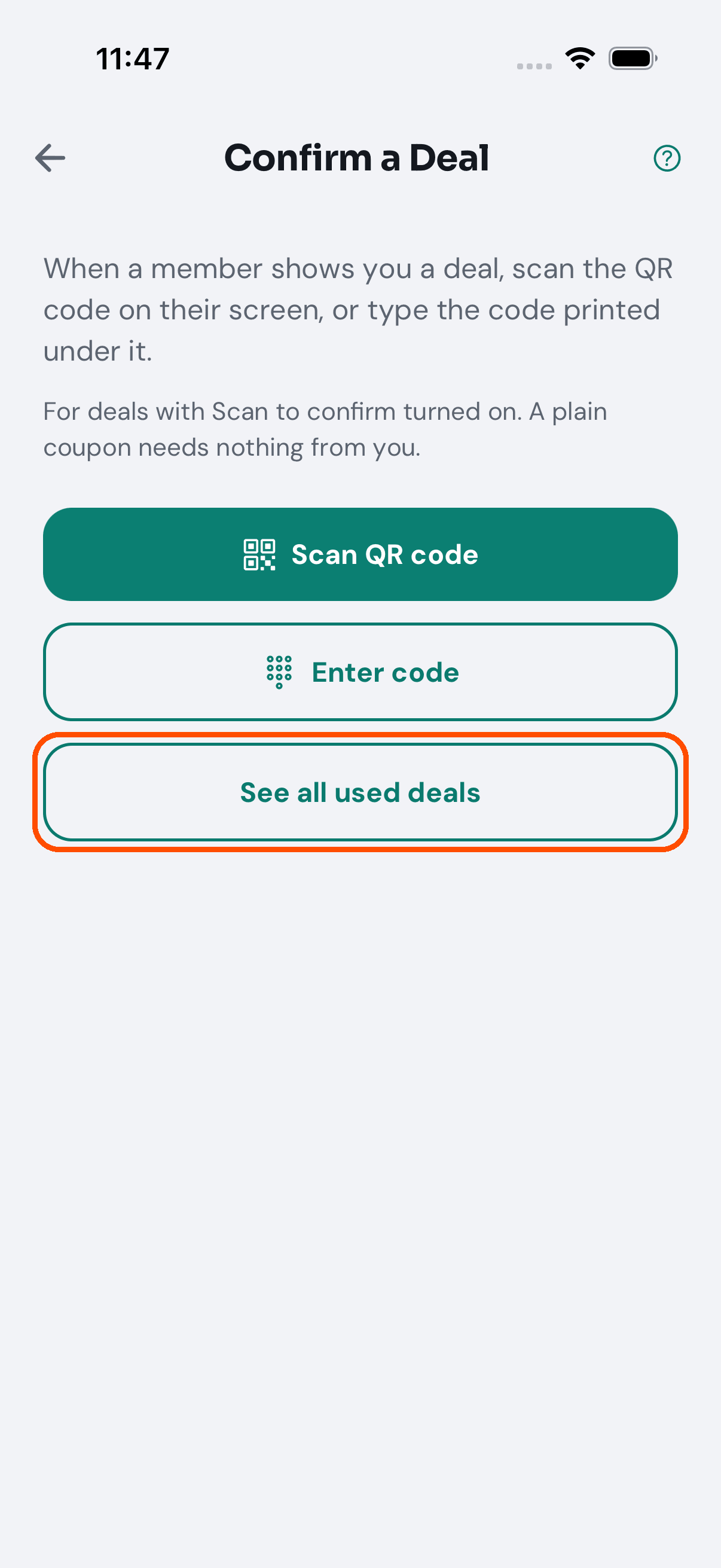
13 of 15 Confirm a Deal: scan the member’s code, or type it in.
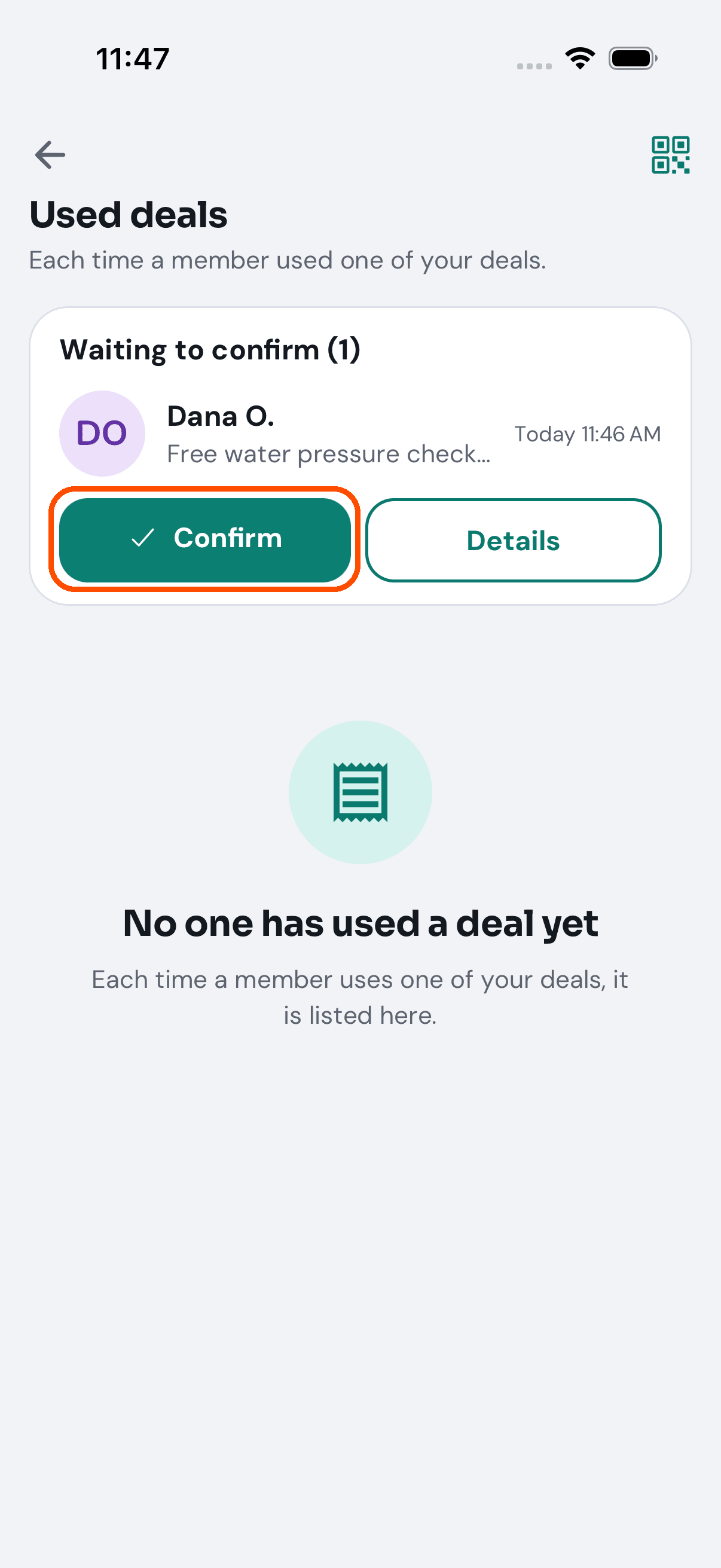
14 of 15 Dana’s use is waiting to confirm.
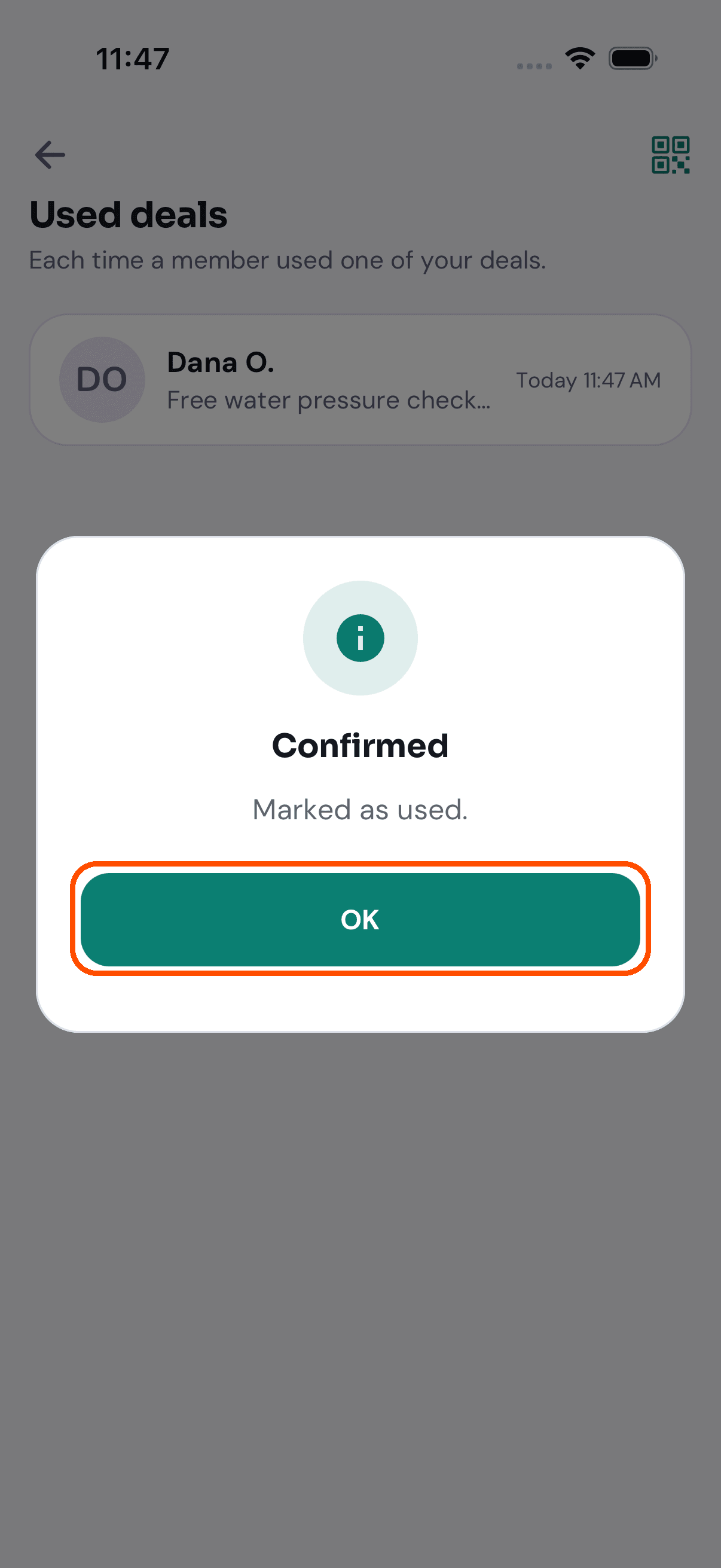
15 of 15 He taps Confirm, and it is marked used.
Want the steps to do it yourself? Getting started. More tours: Set up your business · Build your team · Ask customers for reviews · Your day on Home · Start a group