
A tour · TryMyPro for Pros
Build your team
Miles owns Miles Plumbing. Watch him invite a plumber who already uses TryMyPro, invite somebody new, and see the plumber accept.
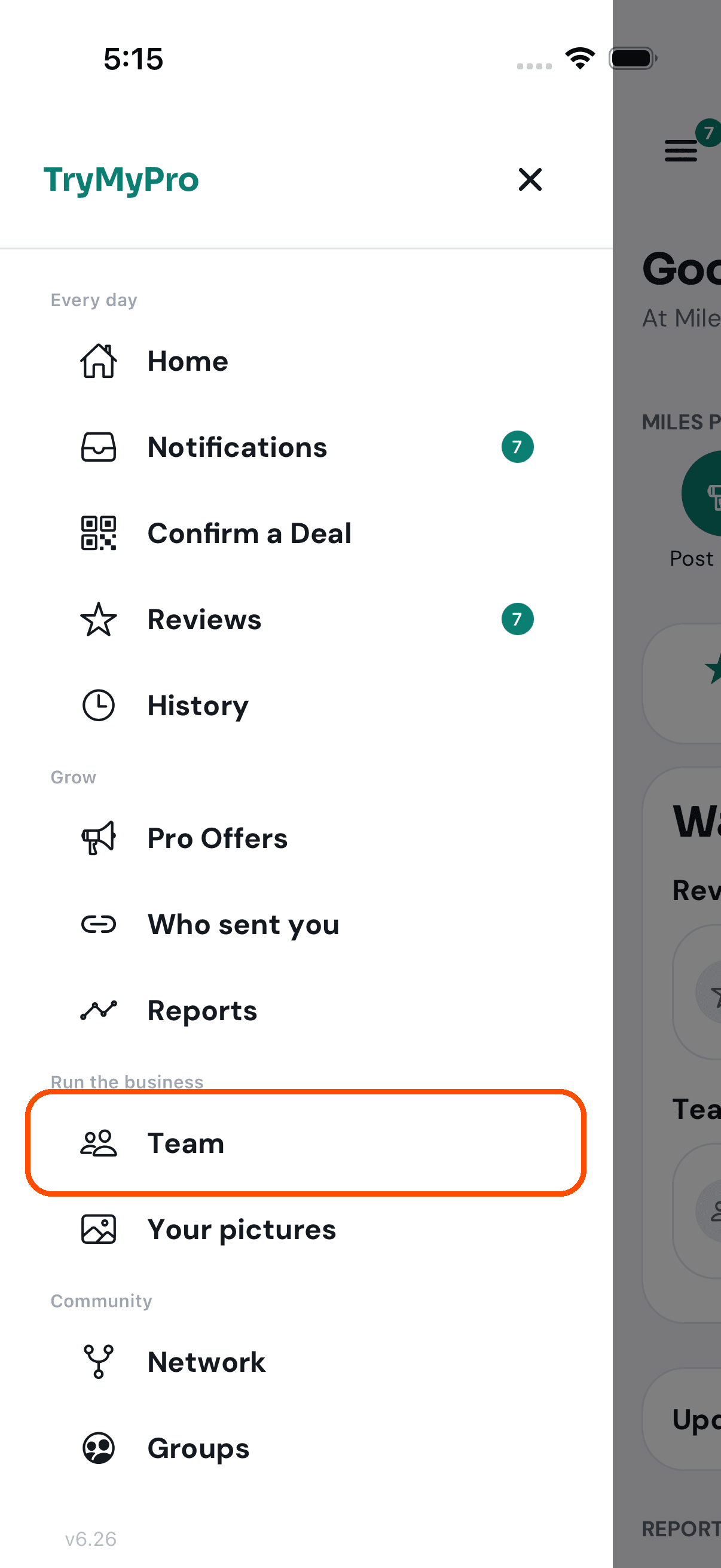
1 of 11 Miles opens the menu in TryMyPro for Pros and taps Team.
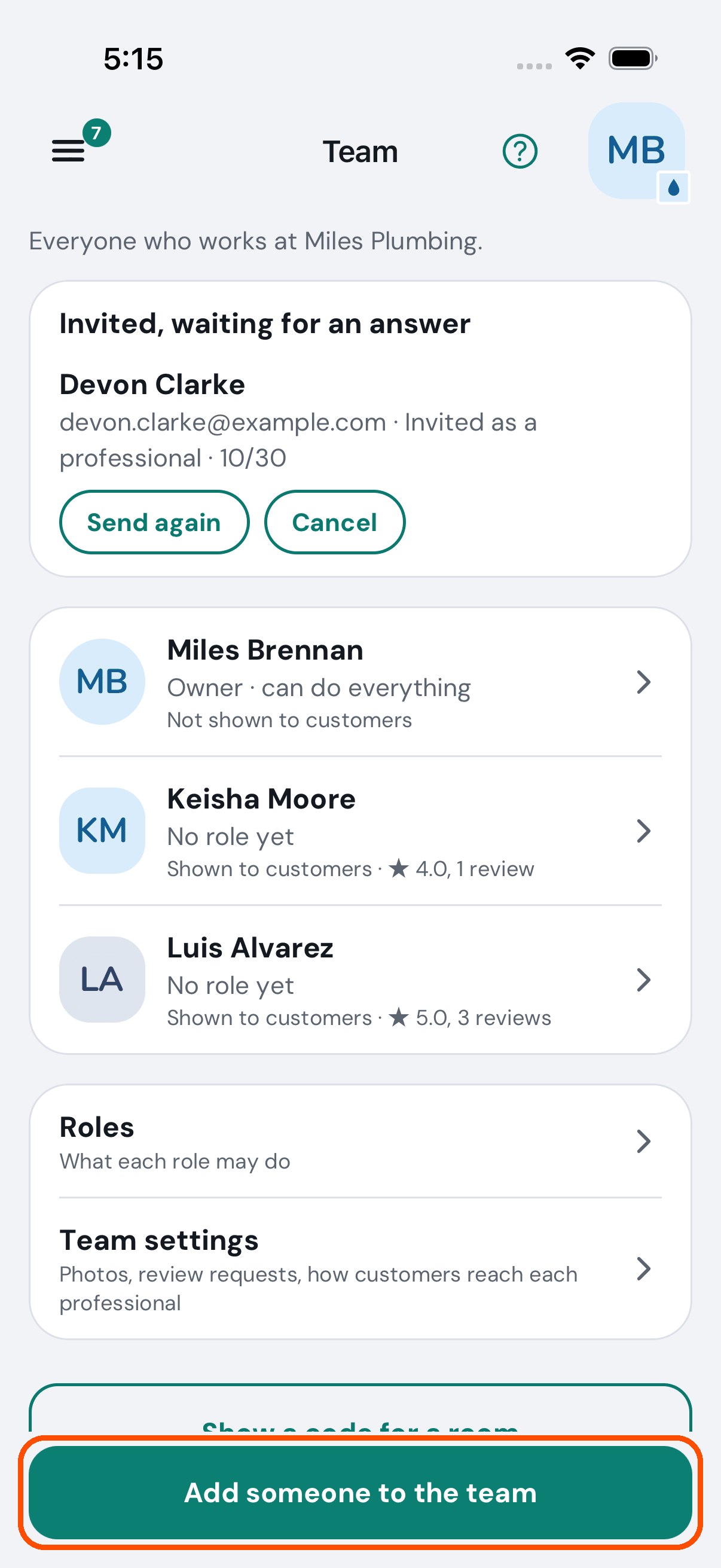
2 of 11 Team is everyone who works at Miles Plumbing. Devon was invited last week and has not answered yet.
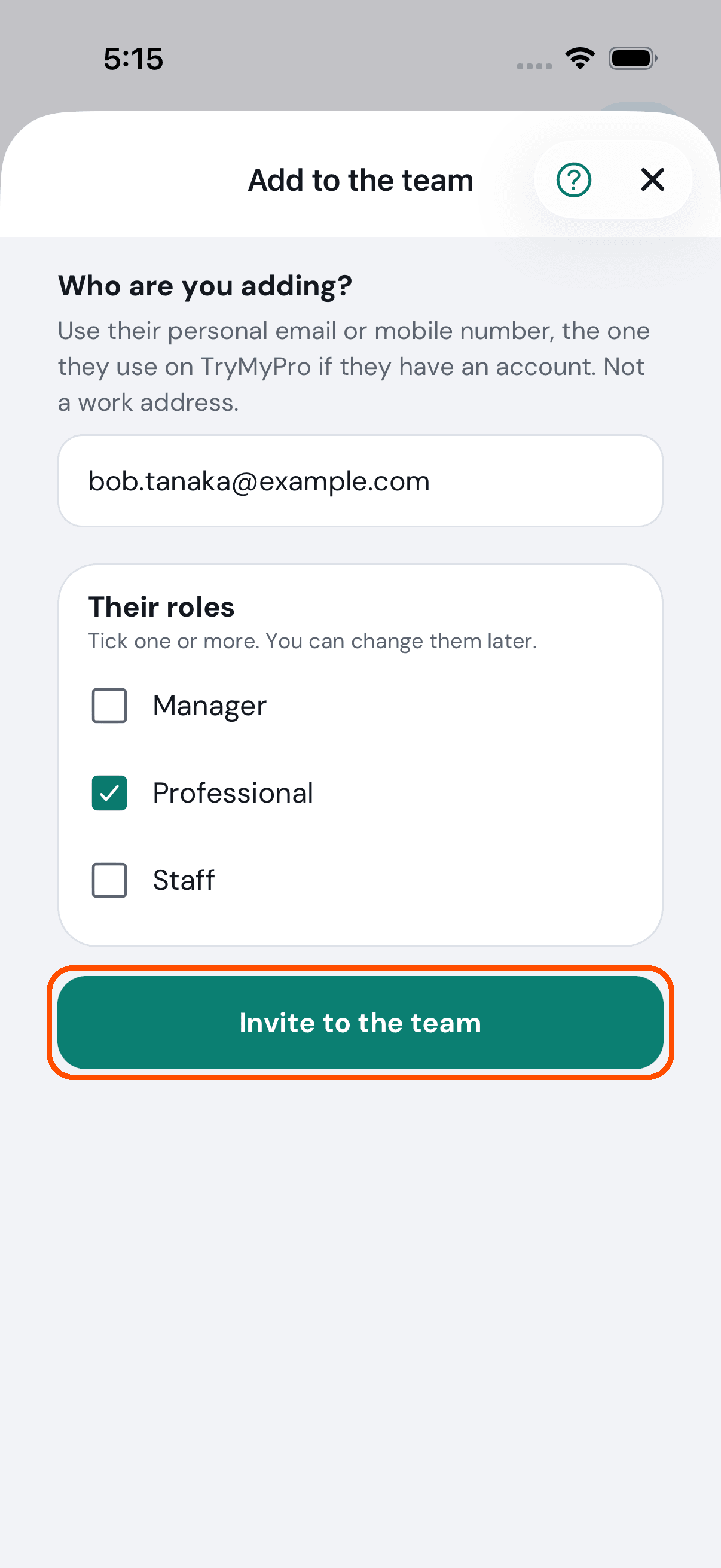
3 of 11 Bob already uses TryMyPro. Miles taps Add someone to the team, types Bob’s email, and ticks Professional: a plumber customers can rate.
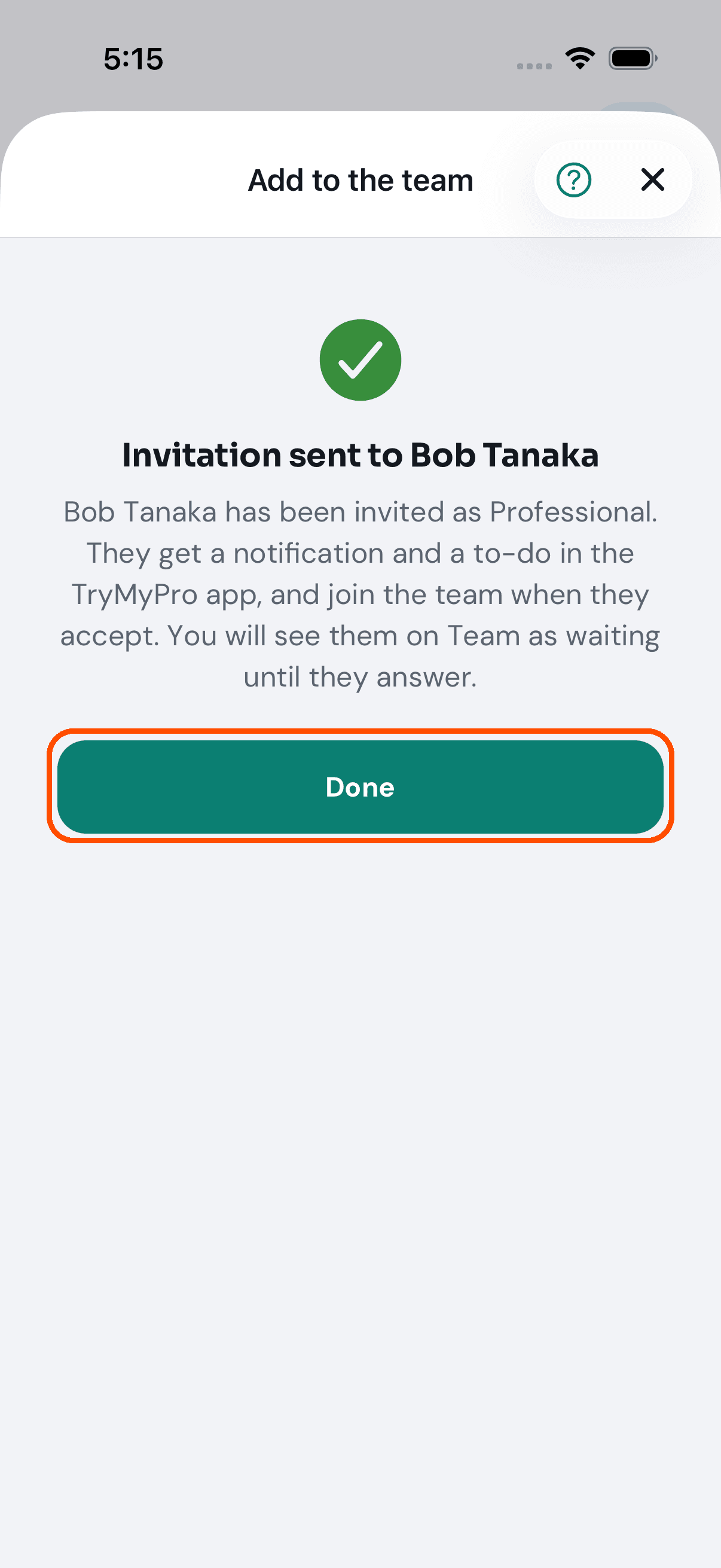
4 of 11 Bob has an account, so Miles sees his name and the invitation goes straight to his TryMyPro app. Nobody joins a team until they accept.
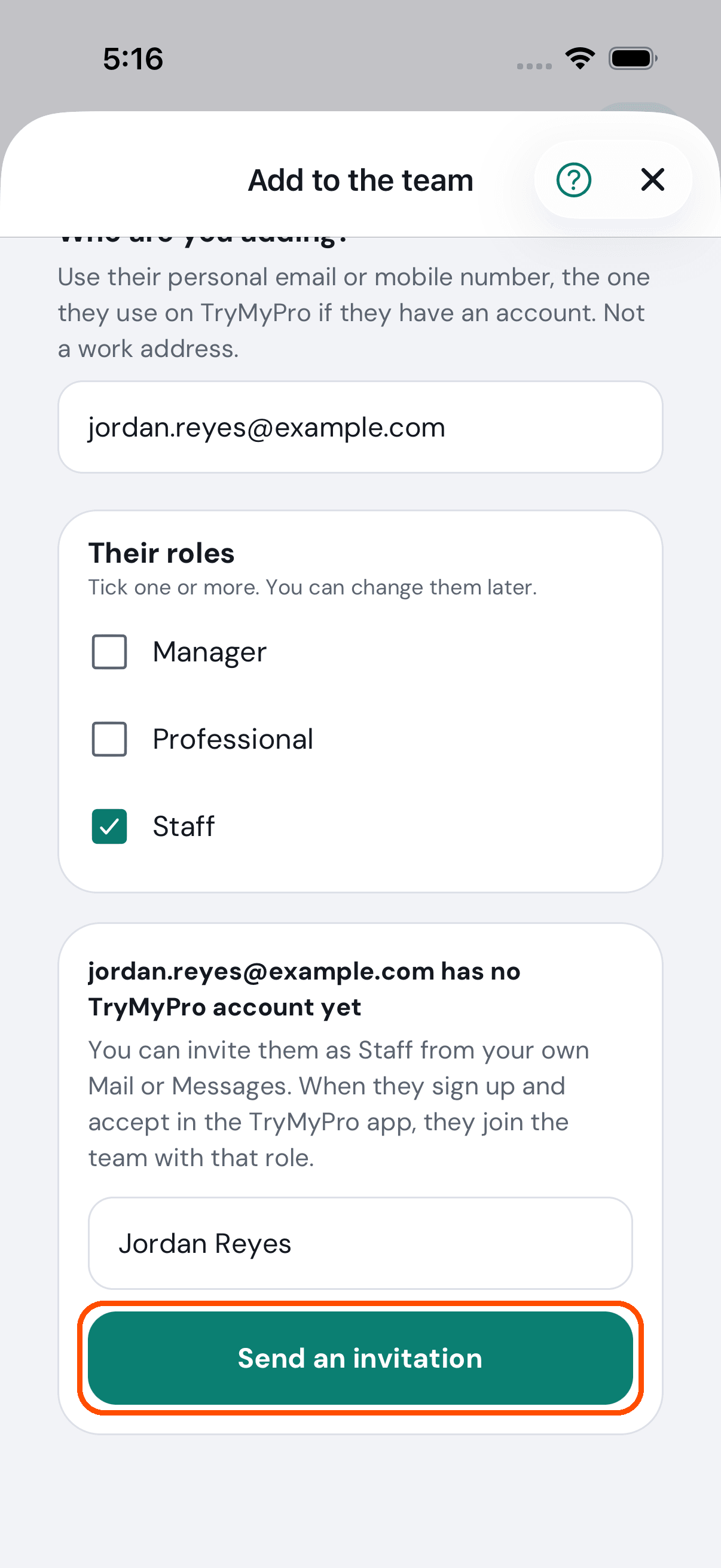
5 of 11 Jordan is not on TryMyPro yet. Miles types Jordan’s email and name, and TryMyPro offers to send an invitation.
6 of 11 This is the invitation, written for Miles to send from his own phone, by text or email. TryMyPro never texts or emails anyone on its own.
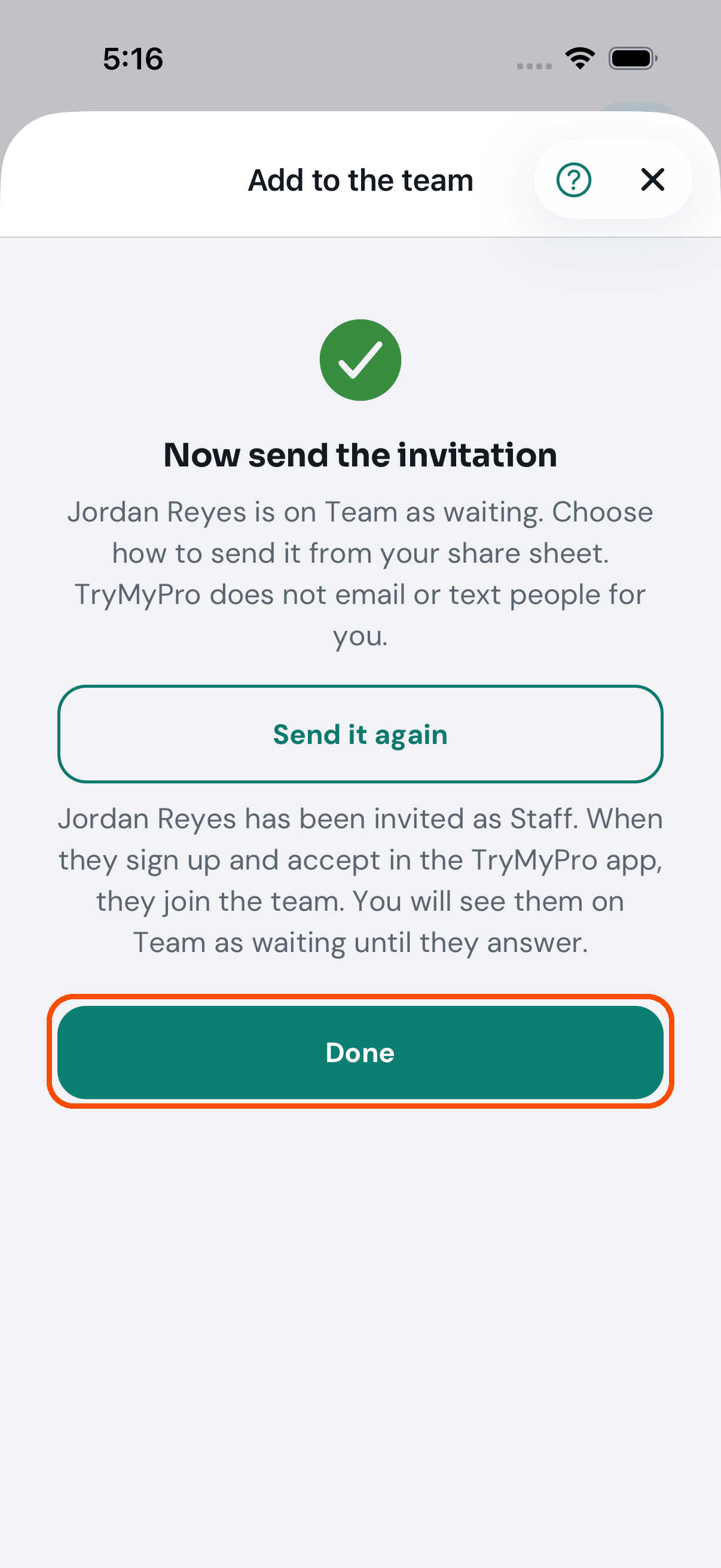
7 of 11 Miles sends it. Jordan joins the moment they accept.
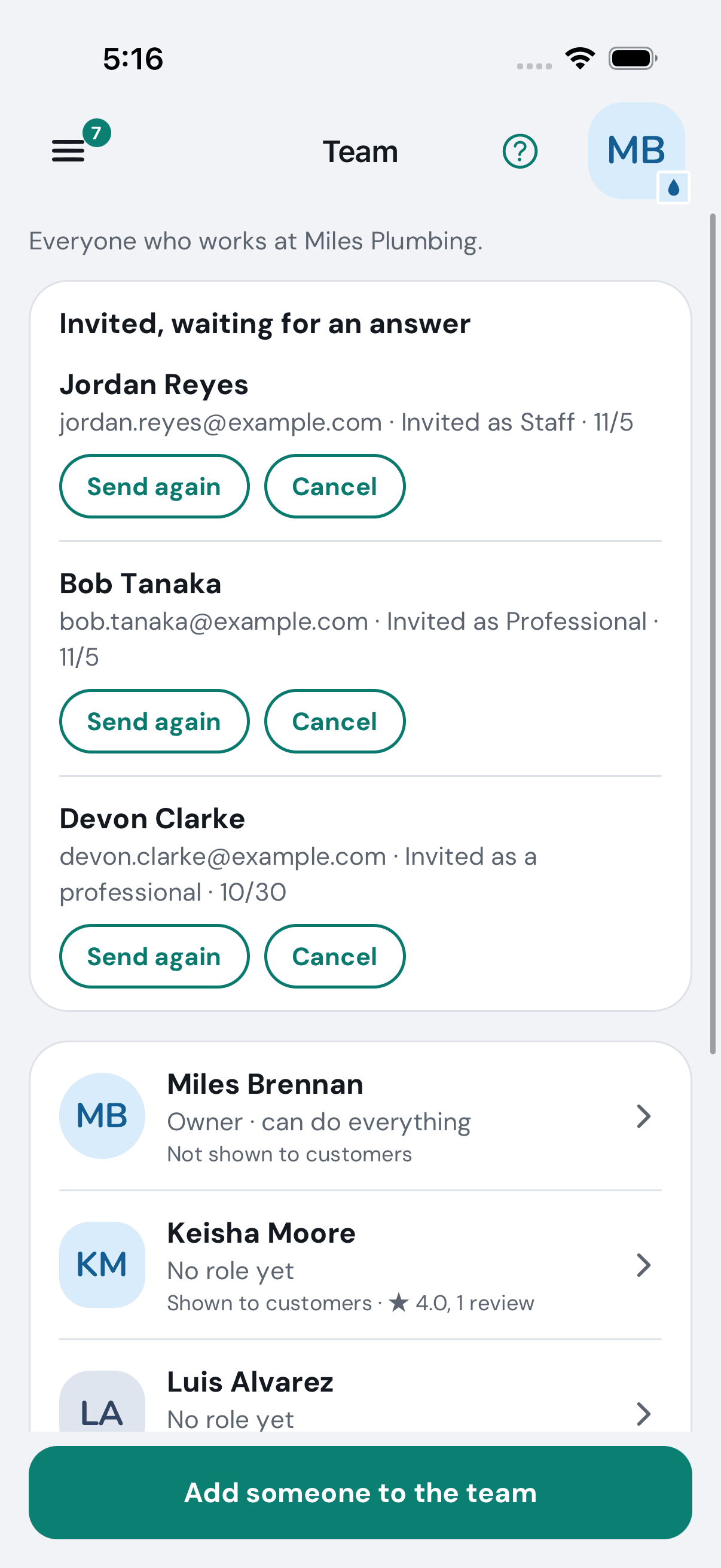
8 of 11 Until then Jordan waits on Team, with Send again and Cancel.
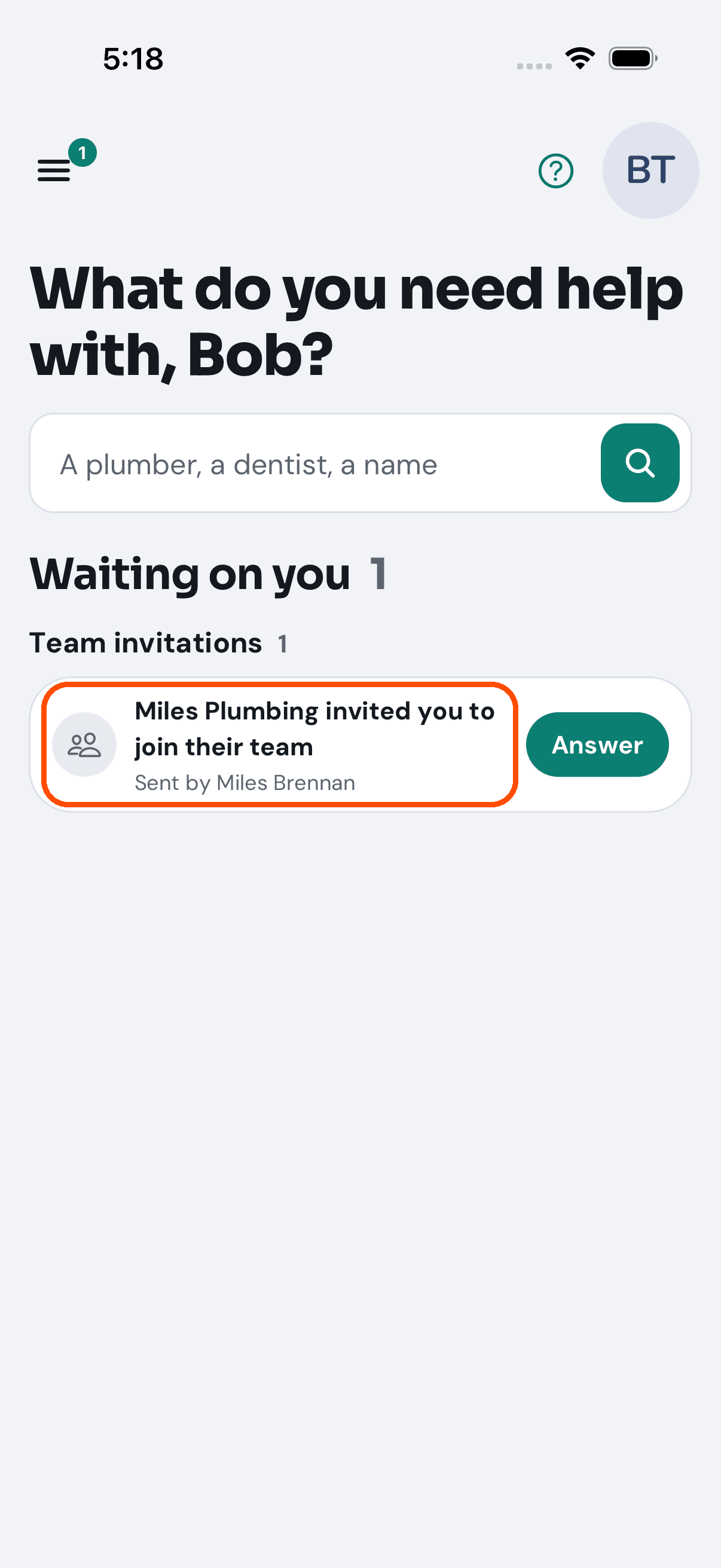
9 of 11 On Bob’s phone, the invitation waits on his Home in TryMyPro, with a notification.
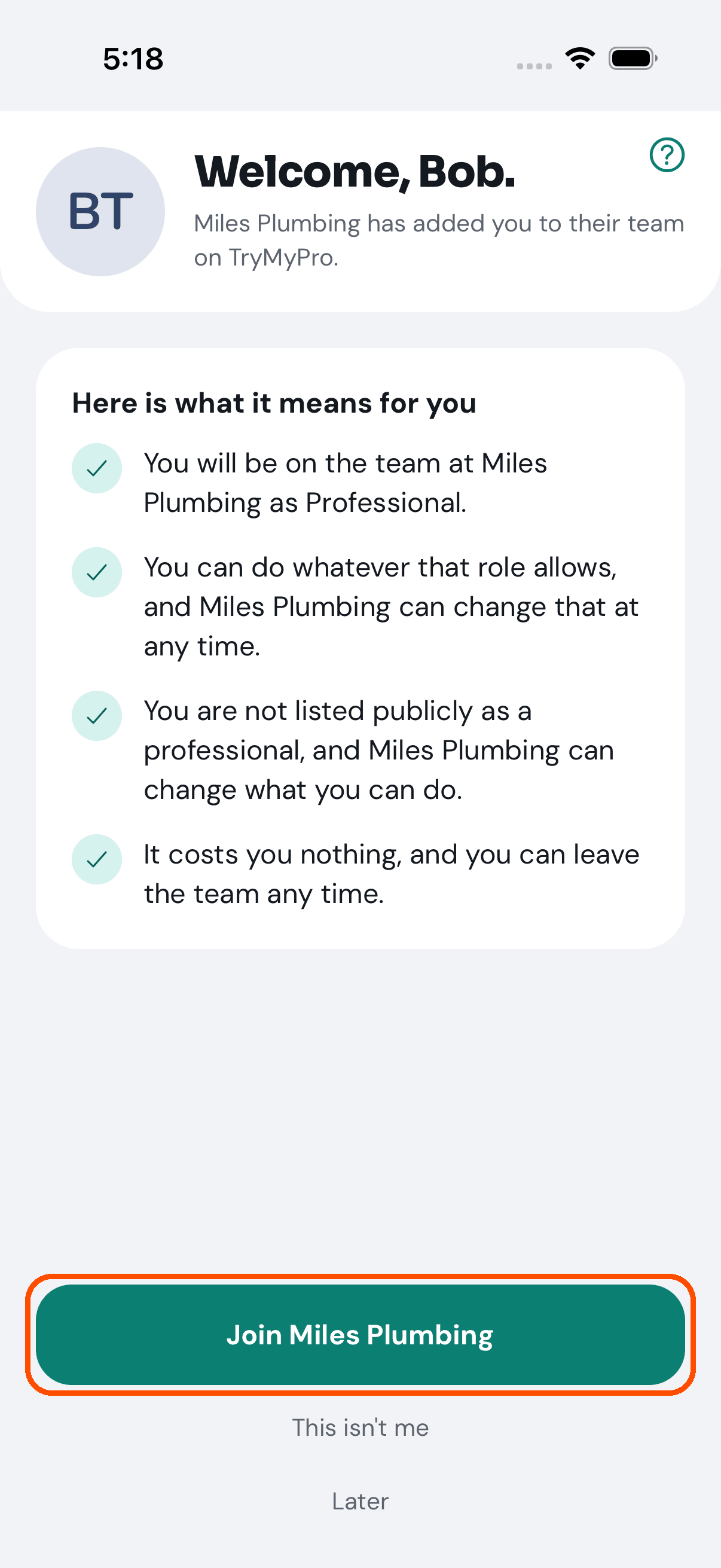
10 of 11 He taps it and sees what joining means for him, then taps Join Miles Plumbing.
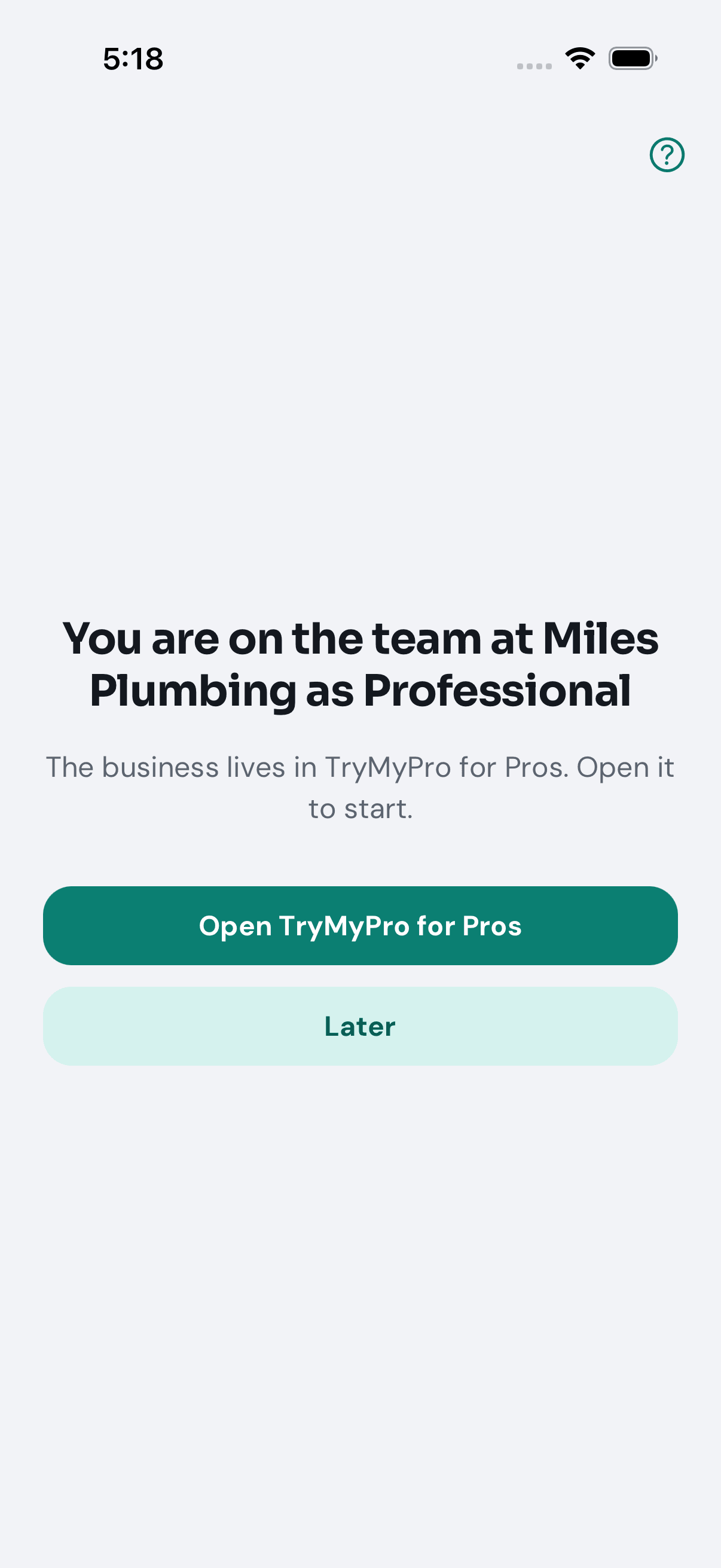
11 of 11 Bob is on the team. His work lives in TryMyPro for Pros.
Want the steps to do it yourself? Getting started. More tours: Set up your business · Ask customers for reviews · Post a deal · Your day on Home · Start a group